

Basket Builder – Spend & Get
Overview
Spend & Get events have the potential to run in concurrence with any other promo/full price moment. Spend & Get events are designed to complement and integrate with existing events or stand on their own.
Identity overview
Identity components
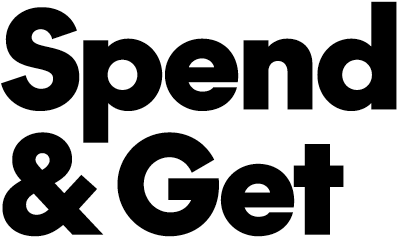
Spend & Get lockup

Spend & Get pattern
Colour palette
Spend & Get events use our core colour palette with SC Dark Red in the pattern.




Example creative
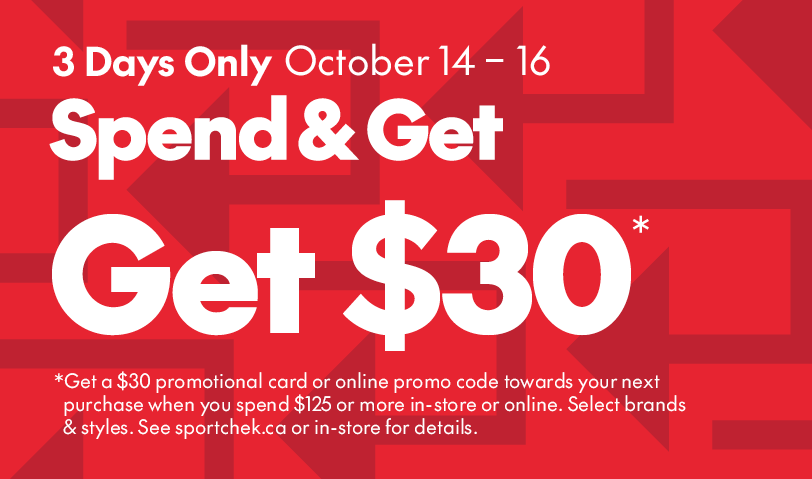
Example Spend & Get creative
Spend & Get lockups
Lockup construction version 1 (generic)
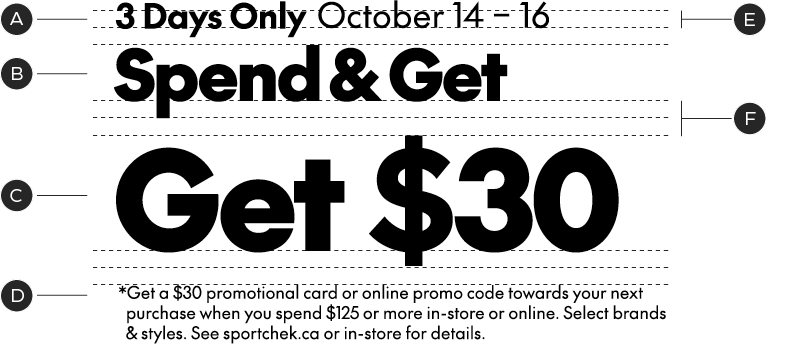
A – Modifier/Date Range
B – Lockup
C – Save Story
D – Legal/Detail Copy
E – Leading is based off x-height of modifier
F – 2× leading
Lockup construction version 2 (event add-on)
When a Spend & Get offer is combined with another event, place the event name above the Spend & Get lockup in The Future Bold at the same point size as the modifier and date range. The modifier and date range move below the Spend & Get lockup.
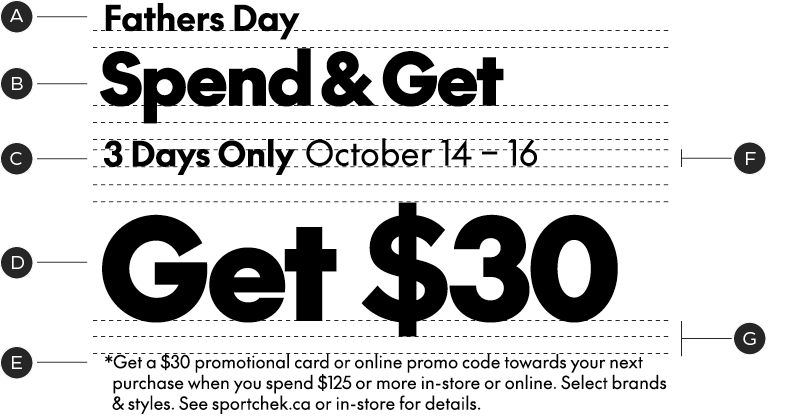
A – Event Name
B – Lockup
C – Modifier/Date Range
D – Save Story
E – Legal/Detail Copy
F – Leading is based off x-height of modifier
G – 2x leading
When constructing a lockup always begin with the predesigned template. Modifiers can be altered to accommodate to different line/word lengths, but should be kept as close to the original size ratio as possible.
Lockup orientations
Our Spend & Get event lockups have 2 orientations in order to best fit the needs of different channels. Use whichever orientation fits the layout best.
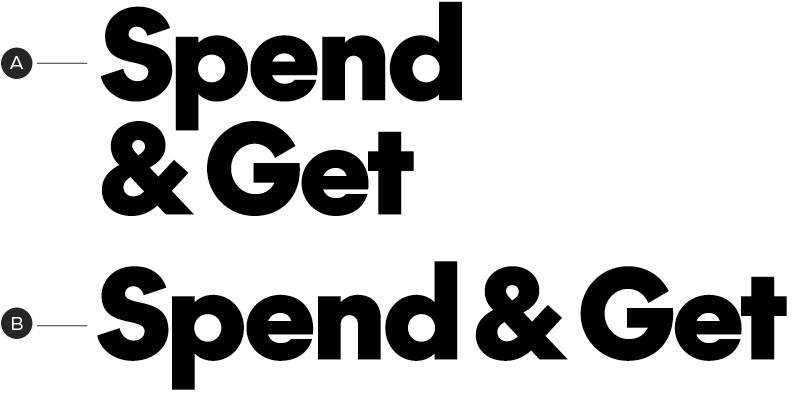
A – Vertical
B – Horizontal
Lockup hierarchy
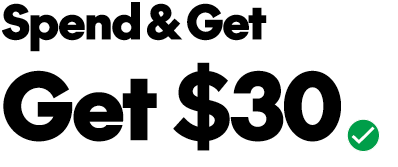
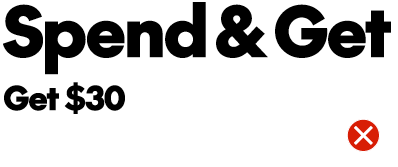
When creating our lockups for Spend & Get Events ensure the save percentage is significantly larger than the event name. These are frequently occurring sales that we want to lead with the save story.
Spend & Get pattern

Spend & Get pattern

Use a crop on the Spend & Get pattern that feels large and graphic, avoid a loose crop that feels too busy.