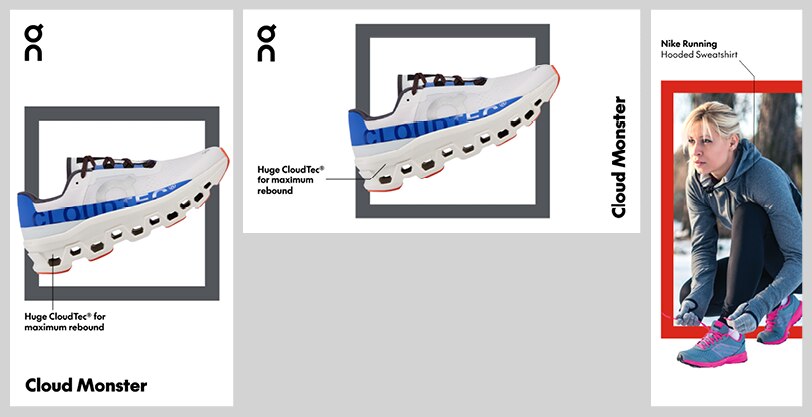
Image annotations
Introduction
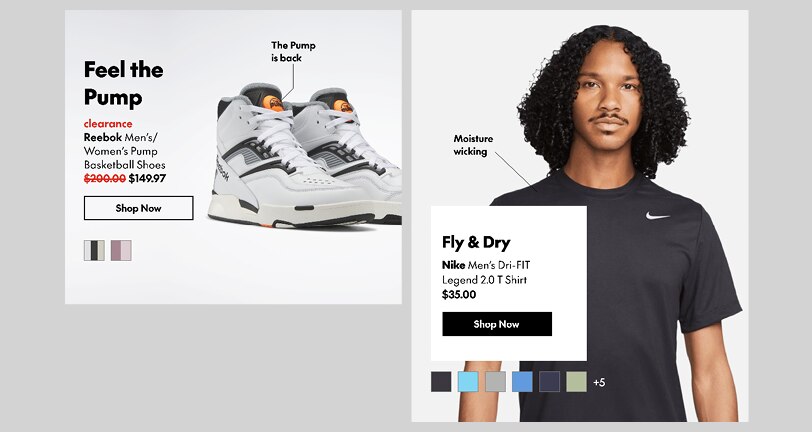
Image annotations, a system of keylines and captions, can be used to call out individual details within a product shot or lifestyle image. This may be used to add context, utility or interest to a layout.
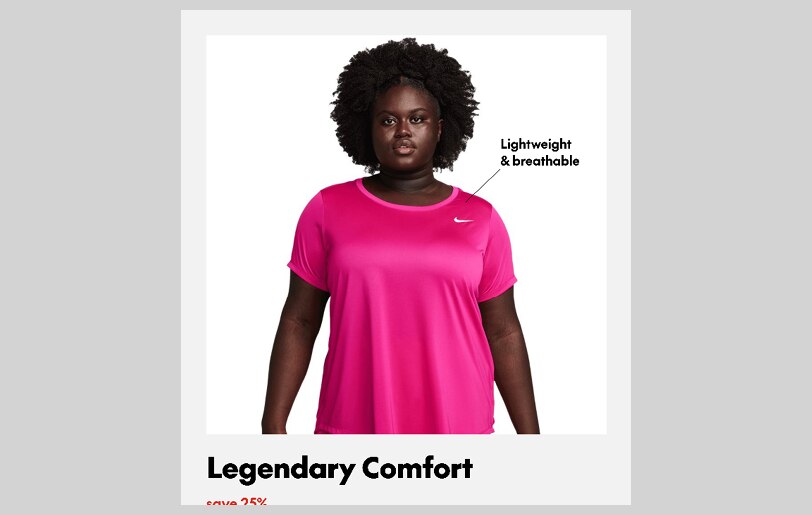
Applications for annotations include:
• Referencing a product’s technology
• Speaking to a product attribute
• Calling out specific products in lifestyle shots
• Creating multiple CTAs in a Shop This Look layout
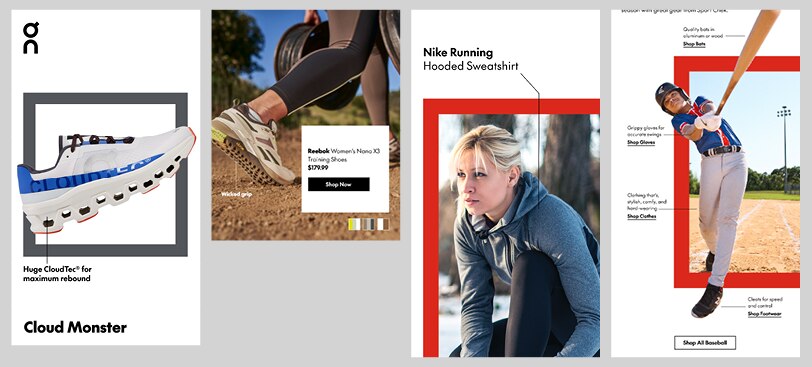
Basic principles
Captions may be set in SC The Future Bold or Regular (or a mixture of both), depending on the needs of the application.
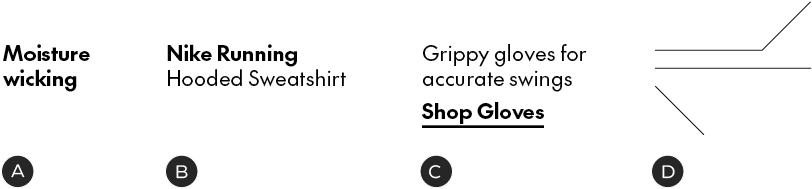
A – Basic styling
B – Alternating weights to call out brand name
C – Alternating weights to create CTA
D – Keylines must be the same colour as the captions. They may have a maximum of one directional change and can only be set in increments of 40 degrees
Annotations may appear in black, white, or a secondary grey. Keylines must always make contact with the detail to which they point.
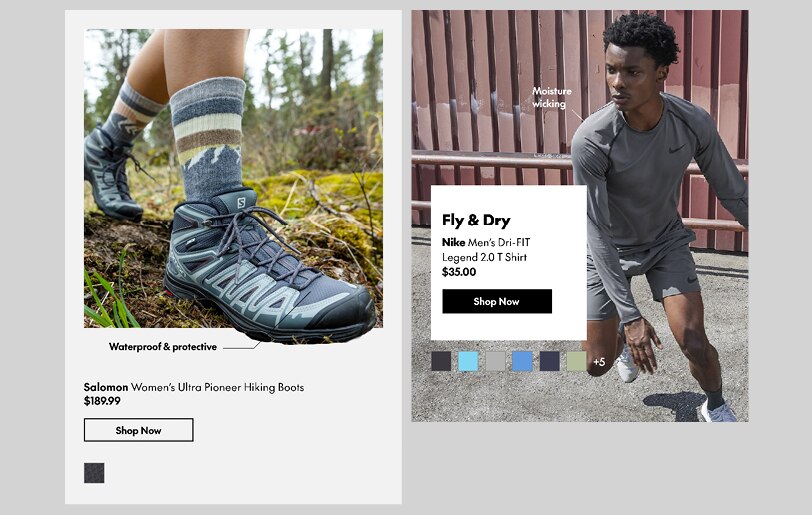
Keylines must sit 10px from both edges of the typography – 3 points in print applications.

Dos & don'ts
In many cases, the Don’ts shown here can be remedied by choosing a different type of module (eg. in emails), using isolated product shots or creating more white space around the image.
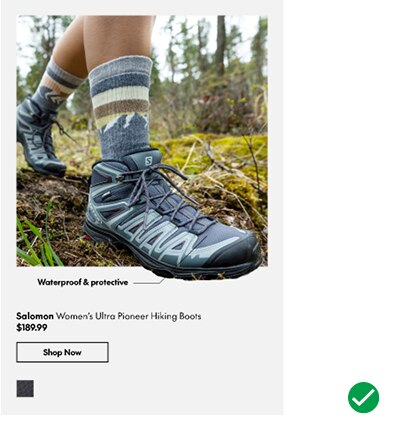
Do: keep it simple
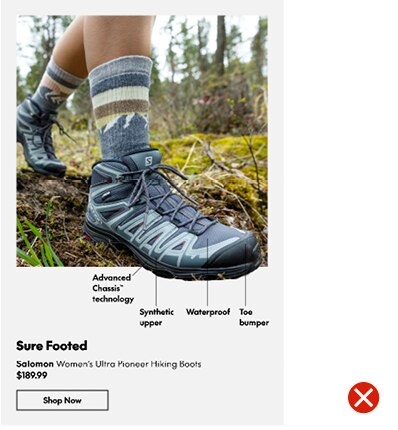
Don't: force too many details into a small space
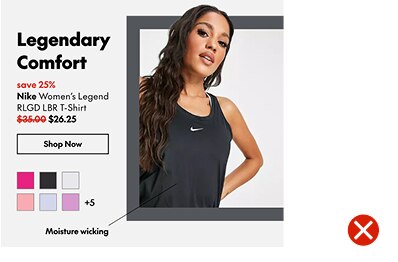
Don't: squeeze captions into modules without enough room

Don't: place captions over images that are too busy or lack sufficient contrast
Annotation size: 18/24px
Keyline weight: 1px
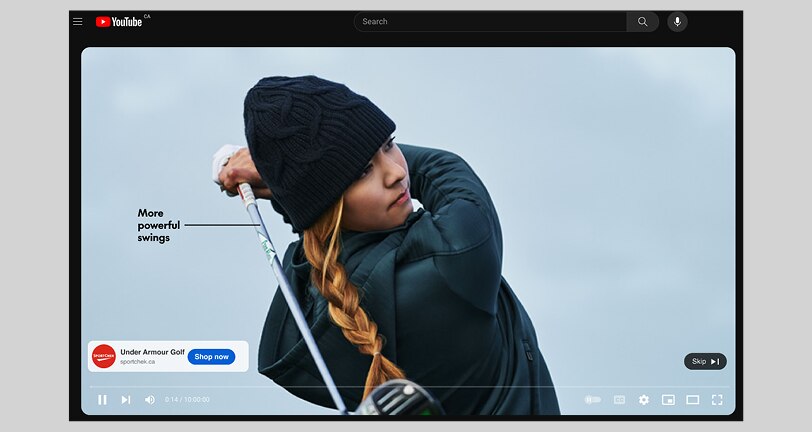
Video advertising
Annotation size: 30/36px
Keyline weight: 3px
Assumes the layout is 1920×1080, landscape/portrait – adjust this sizing proportionally for different resolutions.
Flyer & direct mail
Annotation size: 6/7.5pt
Keyline weight: 0.5pt
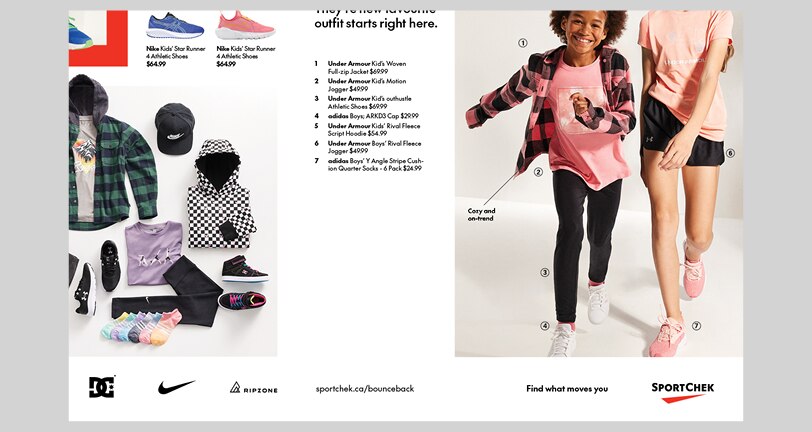
Example in multi-vendor direct mail layout
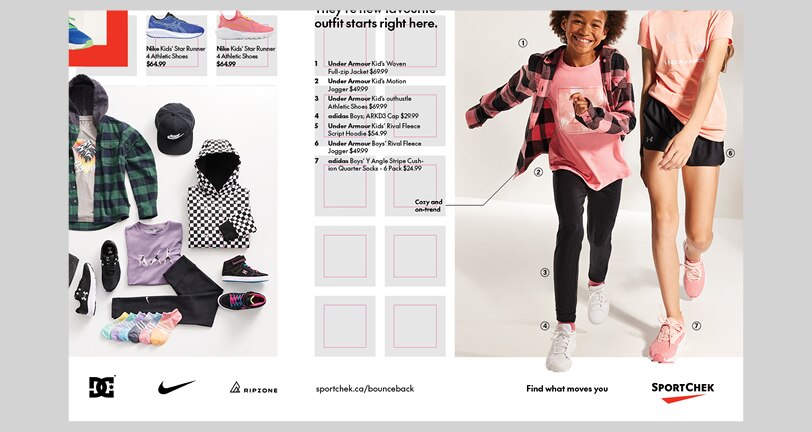
If positioning the caption outside the image frame, align its proximal edge to the edge of the grid
In-store video
Annotation size: 43/52px
Keyline weight: 3px
Assumes the layout is 1920×1080, landscape/portrait – adjust this sizing proportionally for different resolutions.