

Deal Zone & NPP (messaging slots)
Deal Zones and NPP (messaging slots) are two commonly-used Flyer elements. These slots help draw attention to the best deals and incentives in the Flyer, increasing the value of the shopping experience at Canadian Tire.
Deal Zone summary
Deal Zones are sections within a Flyer, with unique creative, which aim to draw additional attention to specific products. They can appear across various tiers of flyers and can have a lockup tailored to the specific tier of event in which they appear. Deal Zones can be found on front covers or inside spreads and have no slot size limitations.
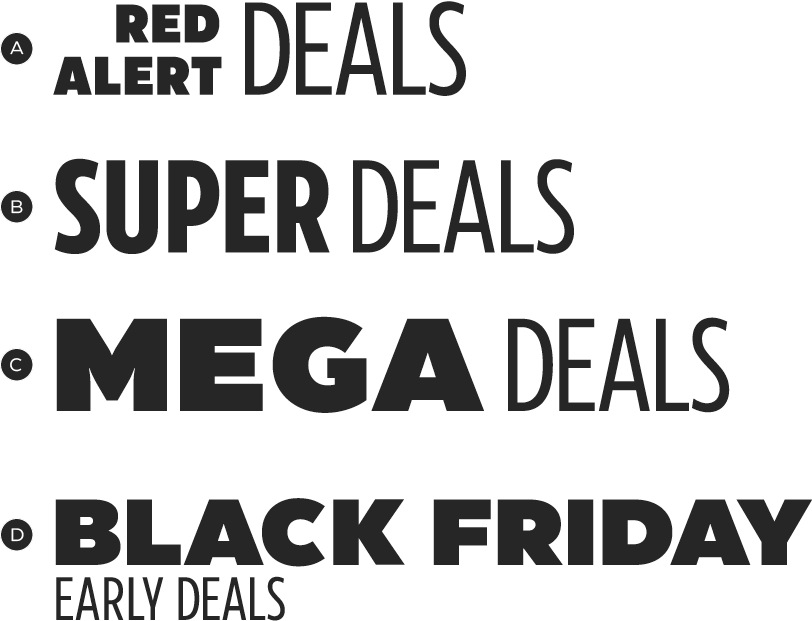
A – Tier 4 Deal Zones are based on the Brand Signature System, which is commonly used in place of a lockup on Tier 4 flyers.
B – Tier 2A: Super Sale Deal Zone
C – Tier 2B: Mega Sale Deal Zone
D – Tier 1B: Black Friday Deal Zone. Though it appears in Tier 4 flyers, the Deal Zone is based on a Tier 1B event and must maintain its standard visual identity.
The lockup is an important element in a Deal Zone. It is the value indicator for the products in the slot. A lockup's event name must always match the visual style of the Flyer tier in which it appears. For instance, in a Super Sale Flyer, the "Super" in a Super Deals lockup matches the typeface used in the Super Sale lockup. Though the event name does not need to match that of the tier, it must share the same typographic styling.
Deal Zone lockup construction
All Deal Zones use a lockup to help differentiate themselves from other slots on the page. These lockups are designed to appear as a family, even when taking on the identity of the Flyer tier in which they appear. This is achieved through a Lockup Design System and the common use of the word "Deal"—and its consistent treatment throughout all lockups.
Deal Zone lockups consist of four elements:
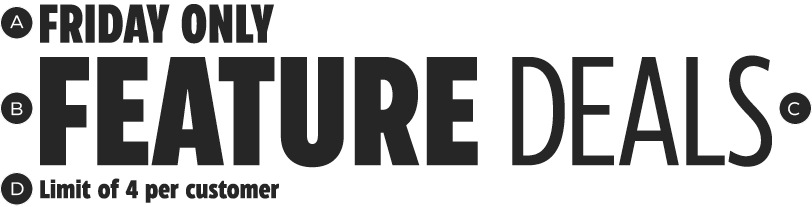
A – Duration (optional)
B – Event name (required)
C – Deal Zone indicator (required)
D – Legal (optional)
The duration is an optional Deal Zone lockup element. When a duration is used, it must apply to all products listed within the slot.
The event name is a required element, used to indicate the value of the products in the slot. The name should always support the strategy defined for its particular Deal Zone. For example, it can be Flyer/tier-specific (e.g., Super Deals) or program-specific (e.g., Red Alert Deals). When choosing an event name, be mindful of any legal requirements that may be associated with your selection. The typographic styling for the event name should match the event lockup in the Flyer, or the the program-specific lockup, whatever the case may be. For more information on event lockups, please see the Promotional events page.
The deal zone indicator is a required, non-editable element of the lockup. All Deal Zone lockups must contain the word Deal, treated exactly as indicated here. This will help to establish a consistent Deal Zone appearance and build familiarity with its purpose.
The legal claim is an optional element which can be used to support a claim, restriction, sale limit, or other requirement within the Deal Zone. Any claims made must be substantiated by legal copy.

A – CT Eastman Compressed, Extra Bold
B – Event name should match the style of the Flyer lockup. Default to CT Eastman Compressed, Extra Bold, if no lockup is used.
C – CT Eastman Compressed, Regular
D – CT Eastman Compressed, Bold
Lockup orientation
Lockups may be built in both horizontal and vertical orientations for maximum flexibility.
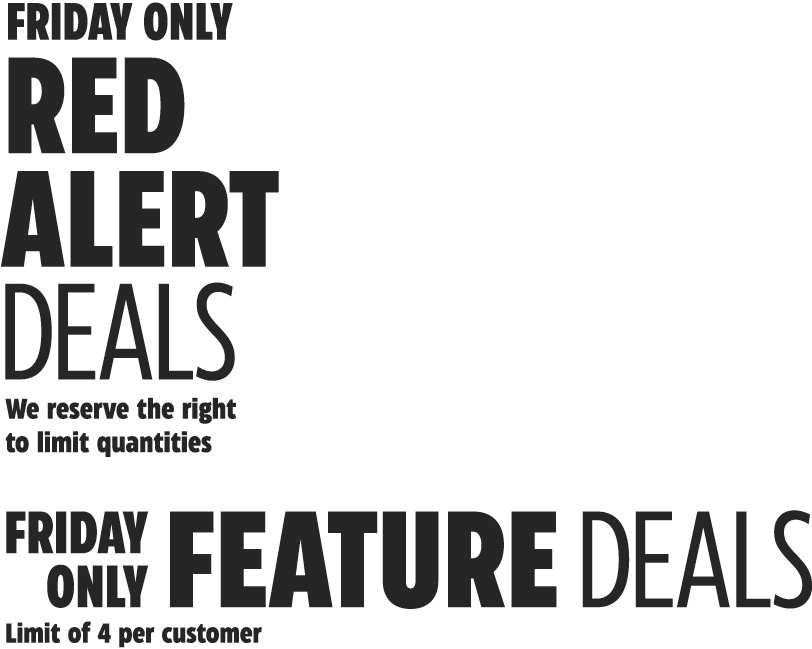
Deal Zone construction
Deal Zone variations as highlighted in yellow:
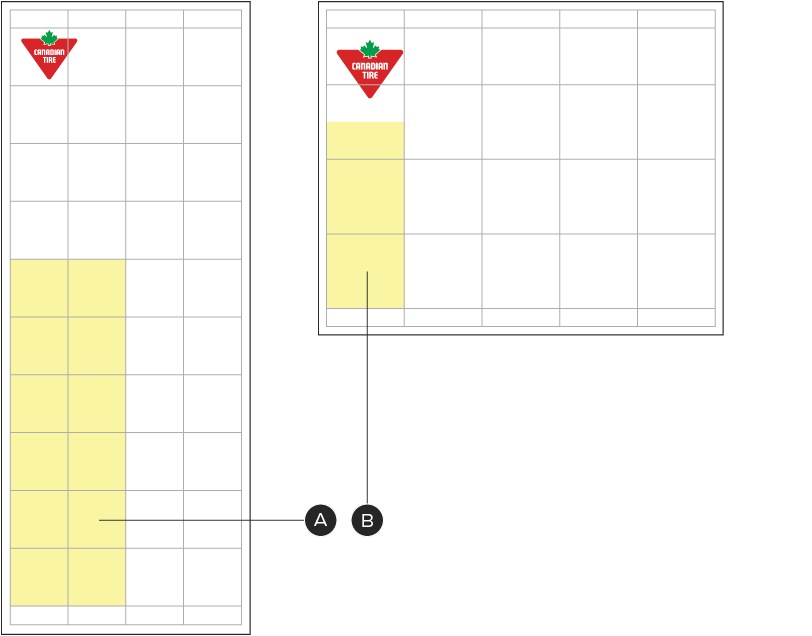
A – Narrow Broad front cover Deal Zone
B – Square Tab front cover Deal Zone
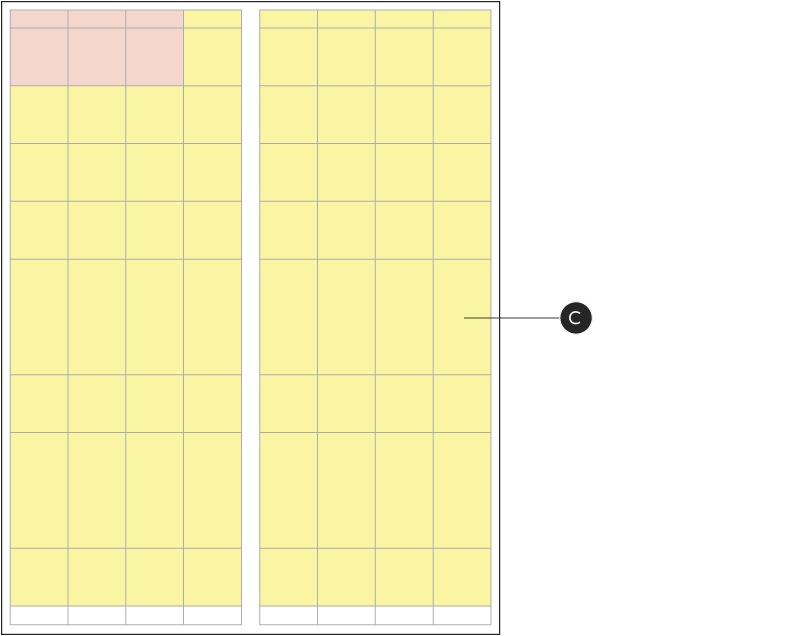
C – Narrow Broad inside spread full page Deal Zone
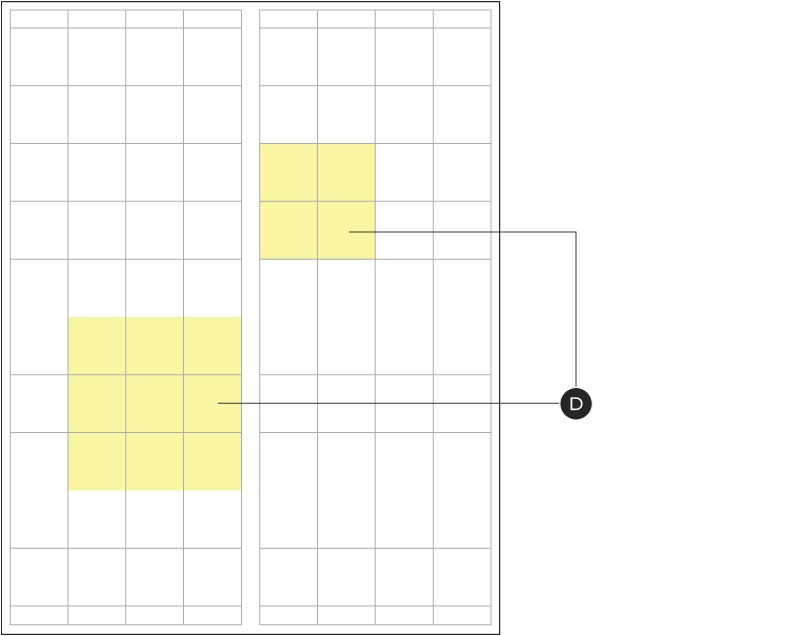
D – Narrow Broad inside spread slot Deal Zone
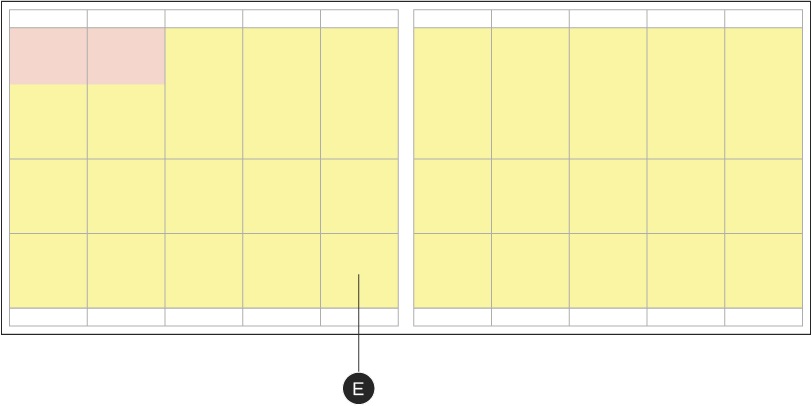
E – Square Tab inside spread full page Deal Zone
Deal Zones may appear on front covers or inside spreads, in slots as small as a few grid units or as large as entire spreads. There is no limit to the number of slots which can exist within a Deal Zone. Typically, the size and placement of a Deal Zone is determined by the Promotional Marketing team and the indicated Flyer tier, but may be customized to meet the needs of the sales strategy. The Deal Zone can be positioned both above or below the fold—depending on its priority, as determined by the Promotional team.
More than one Deal Zone can appear within a Flyer at the same time. Internal page Deal Zones must take on the same name and appearance as the corresponding Deal Zone on the front cover (assuming they share the same marketing strategy). When multiple Deal Zones with different strategies appear within the same Flyer, the zones must be clearly defined and visually distinct. For example, a Top Deals execution may have a different strategy than a feature deals section—they must therefore use different looks to keep them separated from each other. Deal Zone background colours may be CT Red or the weekly seasonal/campaign colour.
Tiers 1A & 1B are standalone Flyers—all products within them are considered to be at the same level. This means that the entire Flyer is considered a Deal Zone; additional sections are not needed. Tier 2 is where we start to see Deal Zones used to single out products. Tier 2A typically features a large, front cover Deal Zone and an entire Deal Zone spread. Tier 2B typically uses in-slot Deal Zones, which can appear multiple times per Flyer. Tier 3 and 4 can also use deal zones—though typically fewer, if at all.
Lockup positioning

A – Minimum lockup size: one grid unit
B – Minimum clear space: 0p6
C – Maximum lockup size: two grid units
D – Recommended clear space at max size: 1p0
When there is more than one product slot within a Deal Zone, only one lockup is required for the grouping. Lockups should always be placed at the top left of the zone. The Deal Zone lockup is secondary to any event lockup or Brand Signature and should always appear smaller in size. It must be a minimum of one grid unit wide and no larger than three grid units in width.
When the smallest dimension of the Deal Zone is one grid unit (either in height or width), the lockup must appear top aligned to the slot’s type safety. When space allows, the lockup may appear up to a maximum of 1p0 from the top edge of the Deal Zone.
Tier 4 Deal Zones are typically smaller and can appear both vertically or horizontally. They may be positioned along the lowest row or in the outer columns of the grid and the size can be adjusted as needed.
Tiers 1B and 2A typically have vertical Deal Zones, which are two grid units wide and may appear on the left or right side of the page. The height of the Deal Zone can vary but can extend a minimum of one grid unit above the fold for visibility.
Note: When selecting the Deal Zone's position on a front cover, consider the location of the Triangle Element or slash and how the slot interacts with that shape. The Triangle/slash and Deal Zone should intentionally overlap or be placed on opposite sides of the page to deliberately create space between the elements.
Deal Zone spread construction
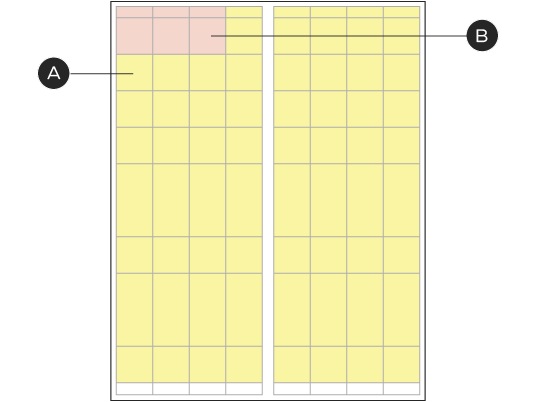
Deal Zones that take up entire spreads typically appear as the first 1–2 spreads within a Flyer. These spreads are optional and are built of product slots containing the Flyer's special or top deals. All products on the spread must be considered part of the Deal Zone.
A – Deal Zone spread
B – Lockup
Deal Zone spreads must contain a lockup that relates to the entire spread; this should always appear at the top left of the spread, either in-slot or within the header. Optional taglines must not be more than 50% of the size of the lockup. For guidelines relating to the use of headers and headlines, please see the Header, footer & legal page.
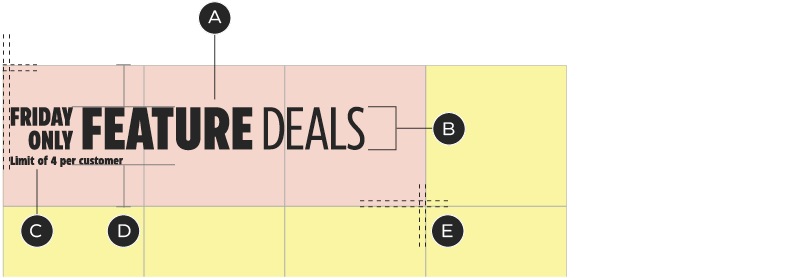
A – Maximum three grid units wide
B – Deal Zone lockup: flexible width, max. 30% the size of the grid unit (by either height or width)
C – Optional tagline
D – Lockup is flush-left and vertically centered within grid
E – 1p0 margins

Deal Zone lockups may also appear in the header.
In-slot Deal Zone construction

A – Fits within slot margins
B – Left-aligned Deal Zone lockup
C – 1p0 clear space above and below lockup
D – Product or brand logo
E – Product image
F – Save Story
G – Product copy
Deal Zone slots can appear within Flyer spreads as single product slots. These slots follow the same rules as all other product slots with the addition of an in-slot Deal Zone Lockup. Deal Zone slots can appear in any location within the product Zone but there should not be more than one Deal Zone slot per page (two per spread).
Deal Zone slots can vary in size with a maximum width of three grid units, but are most commonly seen as sub-feature or feature size slots. These slots can have single products or multiple and be keyed or cut & copy product slots. For additional guidelines on the construction of a product slot, please see the Product slots page.
NPP summary
NPPs (Non-Product Promotions) are message-based slots which usually contain information on shopping incentives available at Canadian Tire. These are most commonly featured as Triangle Reward Bonus Offers and are designed to build customer loyalty and increase sales. These slots can appear anywhere throughout the Flyer and may be repeated for impact.
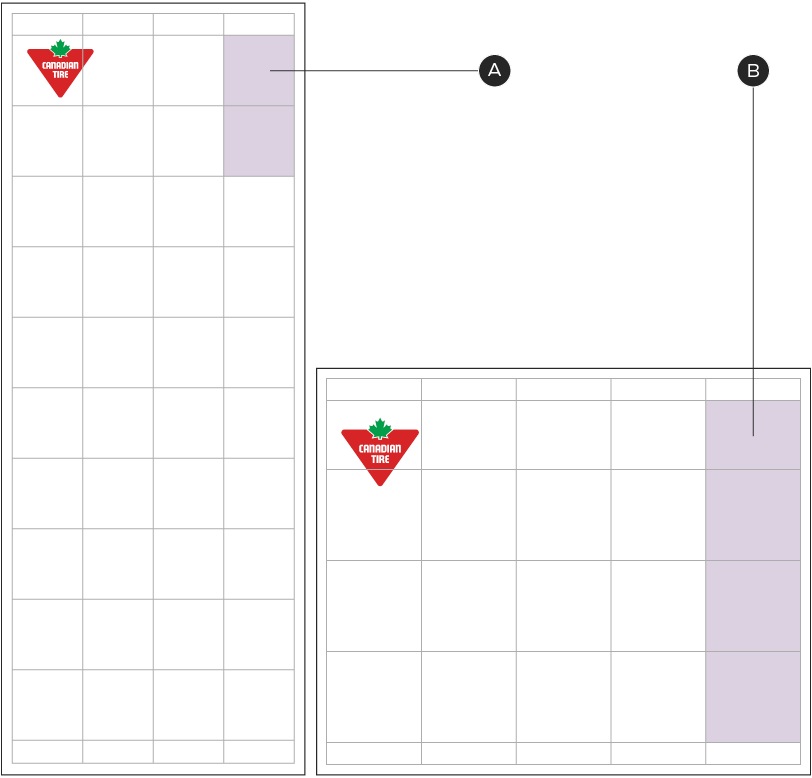
NPP variations as highlighted in mauve
A – Narrow broad front cover NPP
B – Square tab front cover NPP
NPPs can appear throughout the Canadian Tire Flyer, though are most commonly seen on the front covers. Only one NPP should exist on a front cover at a time and are best placed at the top right corner. Vertical NPPs may occupy a maximum of five grid units (four in Square Tab format). Likewise, horizontal NPPs may take up a maximum of five grid units (four in Narrow Broad format). NPPs can be split into two categories: CTR-owned and non-CTR-owned.
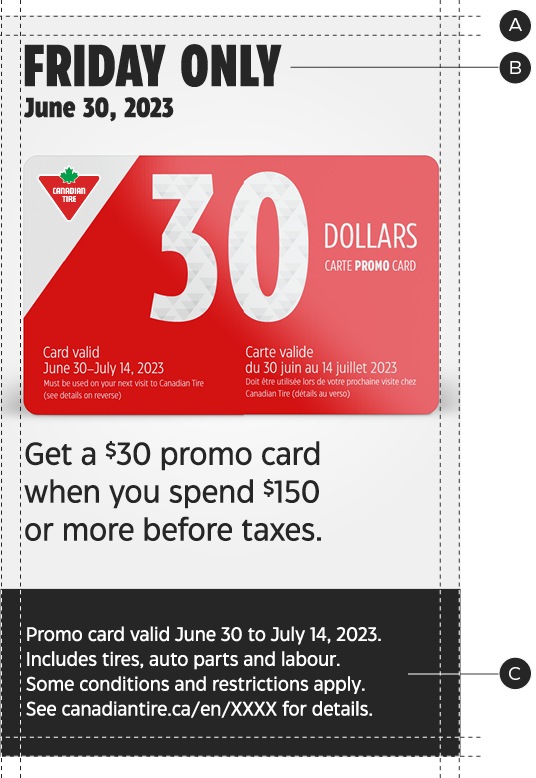
CTR-owned NPPs contain corporate/company messages and offers, such as promo cards, Ship to Home, awareness campaigns, etc. These NPPs must follow all foundational Design System Guidelines and sit within the Flyer grids and margins—although they have more flexibility for the creative.
A – Aligns to Flyer grid system & internal margins
B – Headline & body copy follow NPP type hierarchy
C – Legal sits at bottom
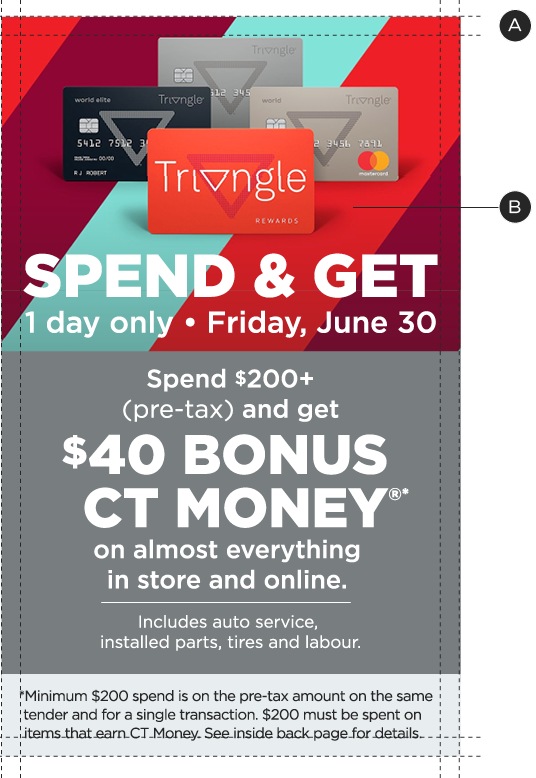
Non-owned NPPs are messages that are owned by external brands, such as Triangle or Party City. These NPPs retain their own branding and while they are unaffected the Design System they are required to follow the Flyer's grid and margins.
A – Content follows its own brand guidelines
B – Aligns to Flyer grid system & internal margins
NPP construction
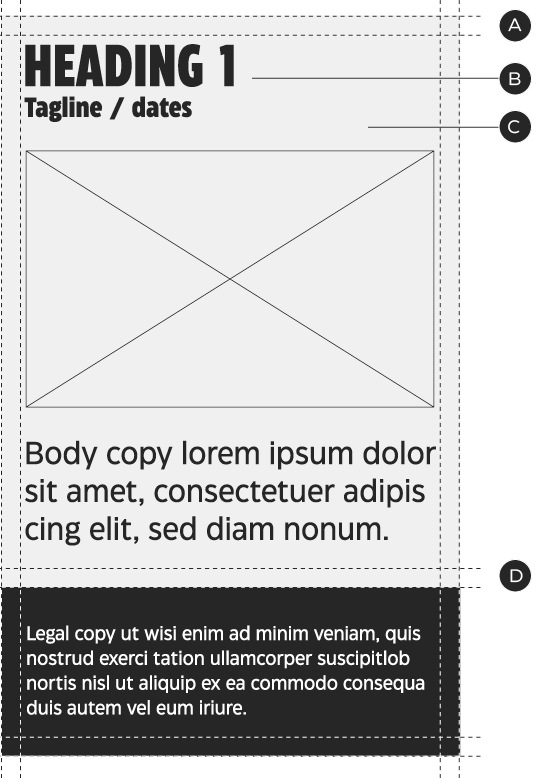
A – Margins align to Flyer grid.
B – Typographic hierarchy should exist for message clarity. See typographic recommendations below for details.
C – 0p6 margins above legal copy. If legal is contained within a shape, the shape should have 0p6 margin above it.
D – The background can be adjusted to a CT Brand Secondary Colour (except CT Green), Omni-identity colour/pattern or brand colour/pattern (if messaging is based on an owned brand).
These guidelines are specific to CTR-owned NPPs; non-owned versions must only conform to rules A and C.
Note: CT Green is primarily used to represent customer experiences at Canadian Tire. Avoid heavy use of CT Green, unless referring to a customer experience.
When creating an NPP, the typographic hierarchy is important in order to communicate the message effectively. The following guidelines are necessary in order to create a consistent communication system:
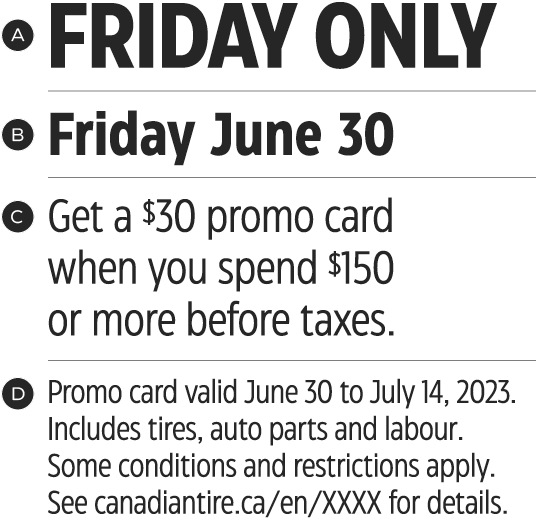
A – H1—100%—CT Eastman Condensed Bold
B – H2—65% of H1—CT Eastman Condensed Bold
C – Body—50% of H1—CT Eastman Condensed Regular. Minimum: 9pt
D – Legal—CT Eastman Condensed Regular. Minimum: 7pt
Deal Zone & NPP dos and don'ts
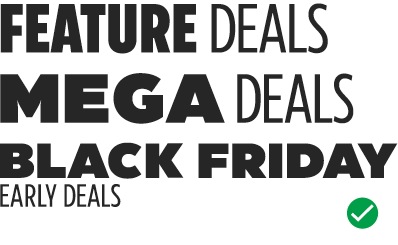
Do write and style the event name to best support the Flyer strategy.
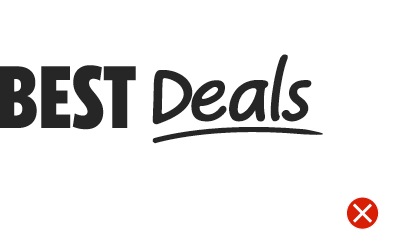
Don't alter the typeface used for the Deal Zone indicator.
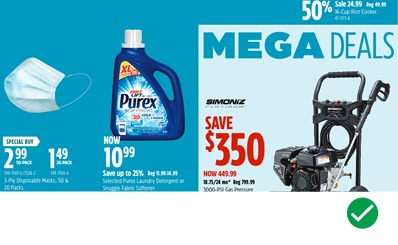
Do adjust the colour of the Deal Zone to ensure it stands out from other nearby slots.
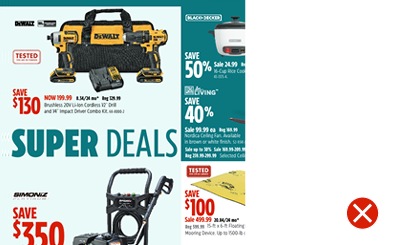
Don't move the lockup from the top of the Deal Zone.
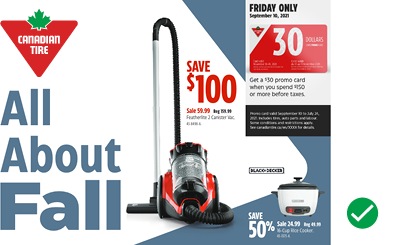
Do create intentional spacing and overlaps between the Deal Zone and the Triangle/slash.
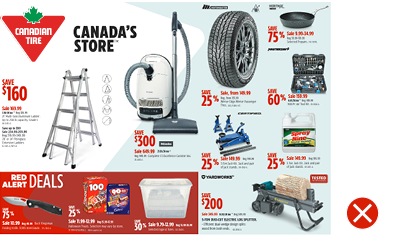
Don't repeat the Triangle Element more than once on a page.
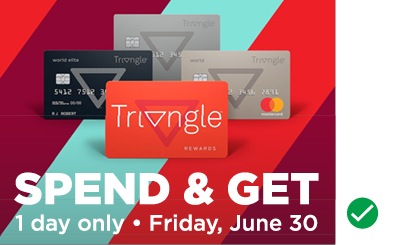
Do use photographs, illustrations and/or patterns to support the messaging.

Don't use CT Green in large quantities unless referring to a customer experience.