

Slugs
Slugs are text based indicators that emphasize a feature or benefit that can't be captured by an icon. Canadian Tire uses Slugs primarily in print channels since they have greater limitations on the amount of copy that can be used. When in a digital space, information that would be contained within a Slug can typically be found on a products PDP page. In the case of Educational and Upselling Slugs, this information can be converted into educational banners or pages. All Slugs are designed with the same foundational elements but allow for flexibility for the different types of Slugs.
When creating a Slug, consider all existing Slugs within the System and how the new one fits in. Refer to the Slugs Master Collection before creating a new slug. Below are the guidelines that must be followed when creating a new Slug.
Foundations
All Slugs are contained within a shape with slightly rounded corners and equal spacing around all text. All copy within a Slug must be set in CT Eastman and follow the typographic hierarchy outlined here. Each Slug must have a minimum margin of 3pt and copy should be left aligned.
The colour of Slugs is determined by the type of Slug. By default, all Slugs are to be contained within a CT Soft Black shape but can have the weekly seasonal colour applied, or a core brand colour. For additional information on the types and their colour application guidelines, please see the Slug Categorization section.
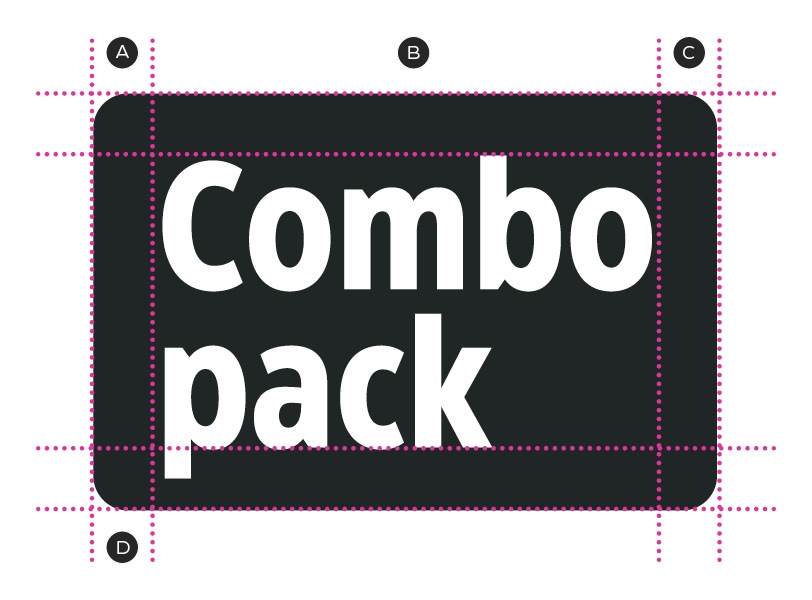
A – Equal spacing
B – CT Eastman Condensed
C – 2 pt rounded corners
D – 4 pt margins
Categorization
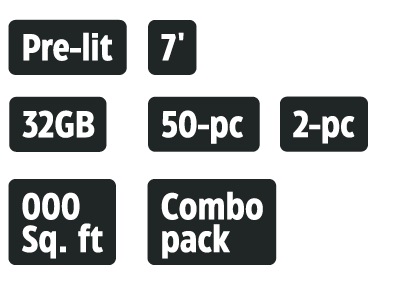
Feature & benefit and specification Slugs
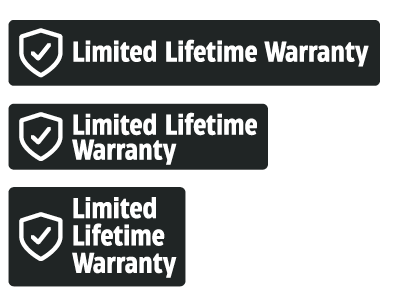
Warranty Slugs
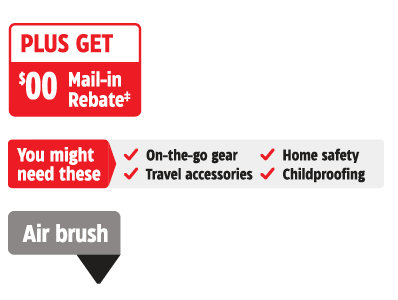
Sales aid Slugs
