

Product slots
The bulk of all Flyers are made up of product zones. These zones are the sections of the Flyer that contain all the products promoted for the duration of the Flyer. Within the product zones are a series individual product slots, which can be broken down into their own system of elements—such as the logo, product images, Save Stories and product copy.
Product slot summary
When building product slots, there are thee different areas of consideration: slot size, type and layout. Regardless of size, type or layout, all slots require a minimum margin of 8pt and must fit within the Flyer grid.
Slot sizes

A – Super feature—maximum show SKUs: 8
B – Feature—maximum show SKUs: 6
C – Sub-feature—maximum show SKUs: 4
D – Double slot—maximum show SKUs: 3
E – Traffic driver—maximum show SKUs: 2
Product slots are the most commonly used zone throughout the Flyer. These slots can contain a wide variety of elements, both optional and required and can be grouped together up to a maximum of 12 grid units to form various sizes of product slots. These groupings of slots are named based on their size and are as follows: super feature, feature, sub-feature, double slot & traffic driver. Product slots cannot exceed the width of 3 grid units for Digital Flyer integration purposes. Each of these slot sizes can contain multiple SKUs, but have unique limitations on maximum show SKUs per slot.
Slot types
Product slots can be split into two types: cut/copy slots and keyed slots. These types refer to the organization of the copy and product image within the slot.

Cut/copy slots
Can apply to slots with single or multiple Show SKUs. Refers to the positioning of individual pricing and copy elements near the Show SKU(s).

Keyed slots
Must have multiple Show SKUs. Refer to slots where all the product copy of multiple show SKUs is displayed together with the use of keys.
Product slot zones
Like the overall Flyer Zone System, product slots themselves can be broken down into their own set of zones. Regardless of size, product slots contain the same set of basic elements, each with its own zone:
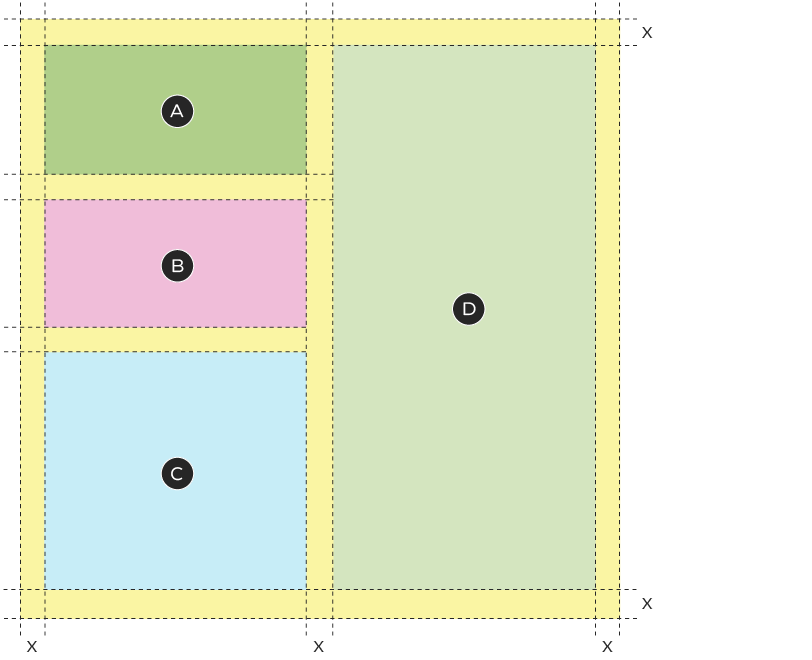
A – Logo zone
B – Save story zone
C – Product copy zone
D – Product image zone
Logo (optional):
The logo is an optional zone that can appear in product slots only when an entire slot is dedicated to a single brand. Brand logos must be in black or white and cannot appear in Red Alert Deals or Gas Bar slots. When a logo is present, the brand name may not appear in the product copy.
Product image (required):
The product image zone is required in all slots. The number of Show SKUs can vary based on the slot size, but all slots must contain a minimum of one SKU. Images may be close cut or lifestyle (see the product image section for details).
Save Story/promo price (required):
This Save Story/pricing zone is required in all product slots and must be appear near the product copy. The type and size of the Save Story/price can vary based on the slot size. There are several different formats of pricing that may be used, depending on the Flyer tier and strategy.
Product copy (required):
The product copy zone contains additional product information, such as promo/regular price (depending on the save story type); EPP (if applicable); product description; SKU; and legal copy (optional). It is recommended that this zone appears abutted to the Save Story/promo price when possible for maximum clarity.
Slot layouts
See previous section for colour legend.
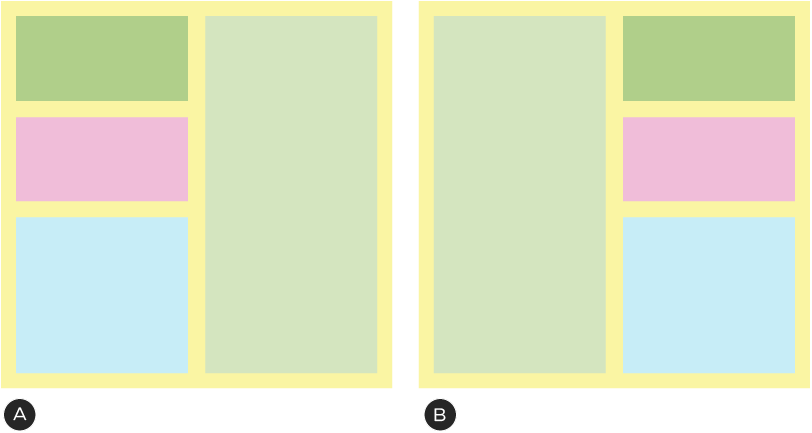
A – Vertical, left-aligned
B – *Vertical, right-aligned. This is a secondary layout and should only be used when a neighbouring slot interferes with the clarity of the information; e.g., if an image in another slot appears too close to the copy. The logo, Save Story and product copy zones must remain aligned flush-left.
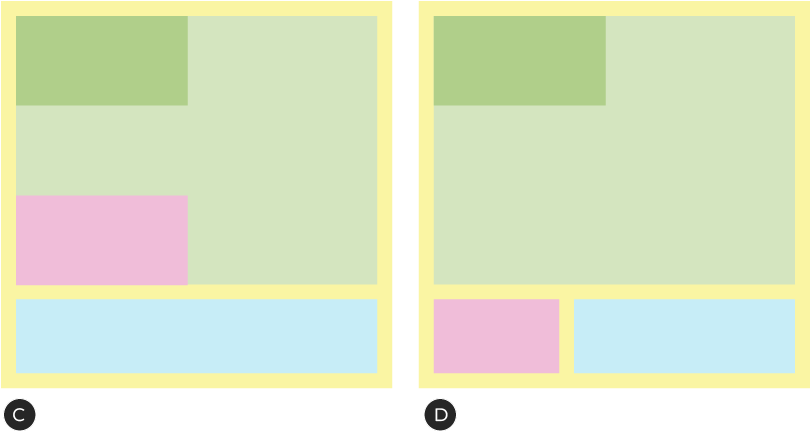
C – Horizontal, stacked. Save Story sits within product image zone
D – Horizontal, beside. Save Story sits below product image zone
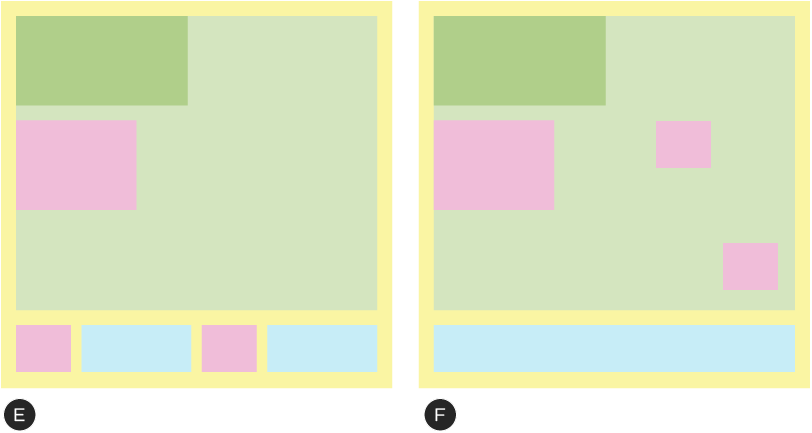
E – Multiple secondary Save Stories in cut/copy slot
F – Multiple secondary Save Stories in keyed slot
Vertical layouts
Vertical layouts are most commonly used with left-aligned logo, Save Story and product copy zones but can be arranged to have these zones appear on the right. Save Story and product copy within their zones must appear bottom and left-aligned in all vertical slots. The logo, Save Story and product copy zones do not have to be vertically justified. The Save Story can vary in width, but must maintain a 6pt margin with the product copy. The product copy can vary in height and width to accommodate the required amount of copy for the SKU(s) but in combination of the Save Story, must not occupy more than 50% of the slot. It is recommended that these zones are limited to 25% of the slot space.
Horizontal layouts
Horizontal layouts allows for more flexibility in the arrangement of the elements in the slot, but must adhere to the same zone and slot clear space and margin guidelines previously described. The Save Story and product copy zones can appear stacked or beside each other. The stacked options allows for a greater amount of copy, while the beside version allows to a larger product image area. The amount of product copy will help to dictate which of these options is the best fit.
Multiple save story layouts
Some Flyers may have slots that utilize multiple Save Stories (i.e., Common Save & Now Pricing). These slots follow the same formatting guidelines as all other slots, with the exception of the Save Story zone. These slots have two levels of pricing within each slot. A primary Save Story which must relate to the entire slot and a secondary Save Story which needs only to relate to a minimum of a single SKU. The primary Save Story must be the same size or larger than the secondary Save Story. The primary Save Story should appear in the top left of the slot, below the logo or positioned to clearly indicate its relationship with all slot SKUs. Within these slots, the secondary Save Story can be arranged with the product copy in vertical or horizontal layouts or it can be free floating to appear next to its product image.
Product slot logos
Product slots have the option to contain a single brand logo which must relate to all products shown within the slot. Logos can appear in the slot as an image (the recommended treatment) or within the product copy as a part of the product description, but must never appear in both locations in the same slot.
Logos can vary in height and width but must maintain a minimum of 6pt of clear space with any other element. They must not extend past 50% of the width or 25% of the height of the slot. Logos must appear in black and white and should not be used in Red Alert deal zones or Gas Bar slots.
Logo dos and don'ts
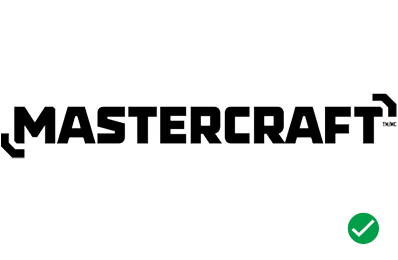
Do use black and white logos.
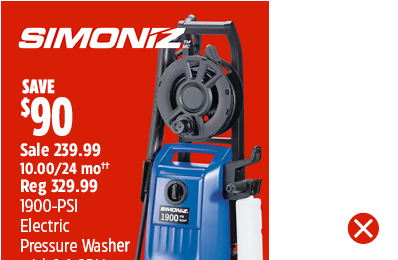
Don't overlap the logo with other elements.
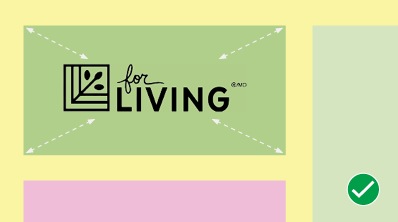
When resizing the logo, keep it within the boundaries of the logo zone.
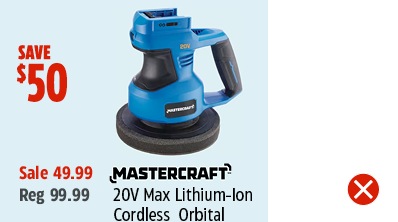
Don't reposition the logo.
Product slot images
The product image zone is the top priority within a product slot and must appear in all slots. Slots can be set up vertically or horizontally, depending on the shape of the product image. The best orientation for the image(s) should determine the placement of all other elements within the slot.
The size of the slot is also related to the number of images that can be displayed. It can vary based on the slot size, but must contain a minimum of one image. Refer to the Product slot summary section for limitations.
Close cut
Close cut images are isolated product images with no or neutral backgrounds. This is the most commonly use image type in the Flyer. These slots can have single or multiple images per slot and must fit within the slots margins and the other slot element’s clear spaces.

A – Single close cut image
B – Multiple close cut images
Lifestyle
Lifestyle images are best used when they help the customer to understand the product or to inspire a purchase. These images can contain single or multiple products and can be used in keyed or cut and copy slot types. Lifestyle images can be full bleed or sit within the slot margins. When placed with a full bleed, text can be placed over top of the lifestyle image but must maintain a high level of contrast for legibility. Copy can also be placed below or beside the lifestyle image on a solid background when the image does not extend beyond the slot's margins.

A – In-slot image extends to the slot margins (horizontal example)
B – In-slot image extends to the slot margins (vertical example)
C – Full bleed image extends to the slot boundary
Product image dos and don'ts
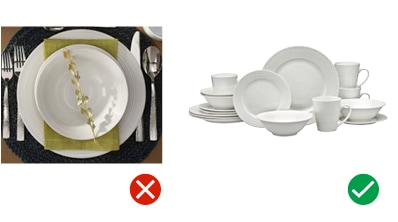
Use images that best showcase the product.
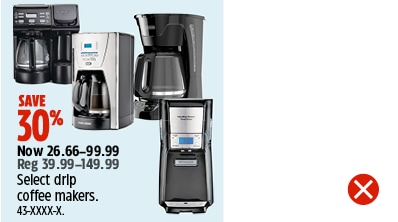
Don't show more than the reccomended number of images for the slot size.
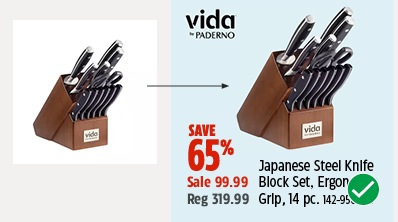
Remove backgrounds whenever possible.
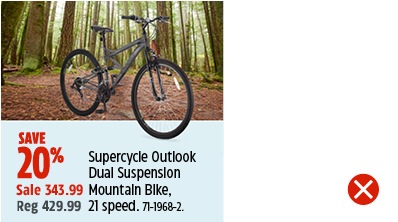
Don't combine lifestyle and close cut images in the same slot.
Product slot Save Stories
Save Stories appear in all Flyer product slots. Save Stories can communicate a dollar or percentage savings or a fixed price. A minimum of one Save Story must appear in each slot. Save Stories are an Omni-Channel Element with a set of guidelines which apply to all channels: view the guidelines here.
Save Story sizes
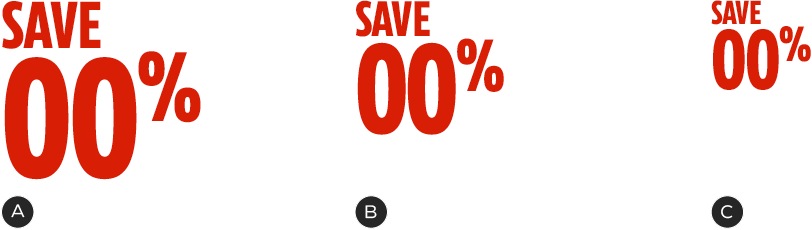
A – Large—commonly used in super feature and feature slots
B – Medium—commonly used in feature, sub-feature slots
C – Small—commonly used in sub-feature, double slots and traffic drivers. Can appear in all slot sizes.
In the Flyer, Save Stories can be three different sizes based on the slot size. feature and super feature slots can use large Save Stories, sub-features and double slots can use the medium size and all traffic slots must use the small size. All three sizes of Save Stories have fixed heights and variable widths.
Note: All Save Stories may be used at any of the three different sizes. The font size of the Save Story does not affect the font size of the product copy.
Single Save Stories
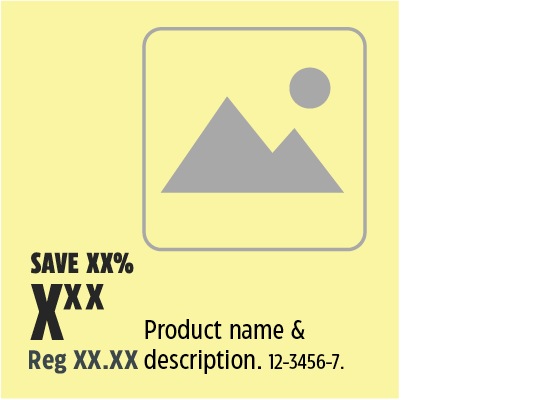
Single Save Stories are the most commonly used format in the Flyer. This refers to a slot where only one Save Story is used. These Save Stories can be any of the three sizes available based on the slot size.
Multiple Save Stories
Though the majority of slots contain a single Save Story, it is possible for more than one to appear in a slot. These set ups can occur in any slot size, but typically are not used in traffic sized slots due to the limited space. This format of Save Stories can be used in both keyed and cut and copy slot types.
When using multiple Save Stories, there must be a primary and secondary Save Story. There can only be one primary Save Story and it must be the largest in size and apply to the entire slot. There can be more than one secondary Save Story if there is more than one product image being shown. Secondary Save Stories must apply to a single product and be smaller than the primary Save Story.
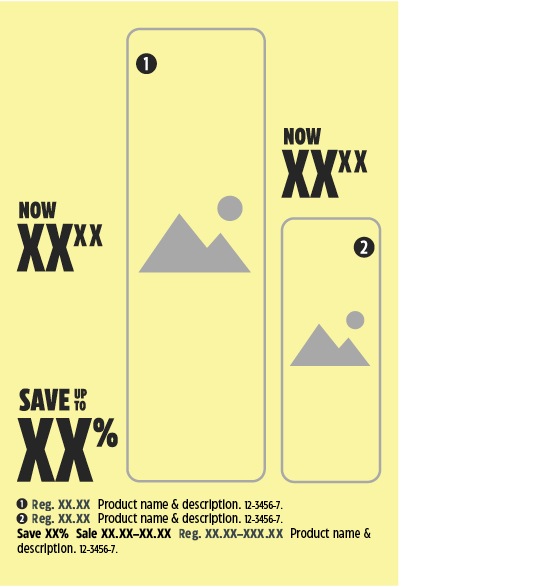
Only certain types of Save Stories can be used in slots with multiples shown. For instance, a primary percentage Save Story may be paired with a secondary Now pricing Save Story. A primary Save Up To may not be paired with a secondary Great Value Save Story.
Product slot product copy
The product copy zone contains all the product information a customer may need to make an informed decision about a product. The information it contains and the order it is listed is closely related to the type of Save Story that is used and the available space.
Every product slot must include product copy. The height and width of this element is variable based on the slot size, layout and amount of copy. The combination of the Save Story and product copy must not take up more than 50% of the slot. It is recommended that these elements only occupy 25% of the slot.
Along with the type of Save Story, the product copy can also be effected by whether the product is shown or listed in the slot. Show SKUs require product images in the slot whereas the list SKUs can be captured within the product copy zone, without the use of a product image in the slot.
The information that can be included in the product copy zone is:
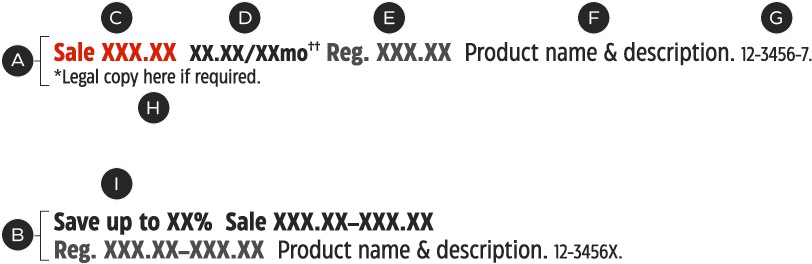
A – Show product copy
B – List product copy
C – Promo price
D – EPP
E – Regular price
F – Product name & description
G – Product number
H – Legal
I – Save Story
Save Story (required, dependant on Save Story*)
In instances where the price or percentage Save Story does not appear as its own element (i.e., if Now or From pricing are used), the Save Story must be included in the product copy. This must be the first item of information listed.
Promo price (required, dependant on Save Story*)
This refers to the dollar amount that the consumer will pay at checkout. This information may appear in the Save Story element or the product copy. In the latter case, the information must appear at the beginning of the product copy and may be a single price or a range.
EPP (Equal Payment Plan) (optional):
This information must appear for all qualifying products (when space allows). The information should be placed in close proximity to the promo price. EPPs cannot appear with range pricing.
Regular price (required*):
This information is required to be present in the product copy, with the exception of when it appears in the stacked pricing/Save Story element.
Product name and description (required*):
This information is required for all slots. It can contain the product name, description, features and benefits and may vary in length but must be kept concise.
SKU (required):
This information must appear in all slots after the product name and description. This number can capture single, multiple or X-series of SKUs.
Legal (optional):
This information can appear in a slot or be placed in the legal zone below the page’s basebar. In-slot legal must pertain to the SKU(s) within that slot and appear at the end of the product copy element.
*Some types of pricing/Save Stories affect the information that appears in the product copy: for example, Great Value pricing refers to promoted SKUs that are not on sale, meaning no Save Story, promotional price or regular price is required in the product copy.
Product copy formats
There are three common formats for product copy: Show SKU, List SKU and keyed. All three types can be used in any size slot and Flyer tier. Show SKU and List SKU product copy can be used for single or multiple SKUs, while Keyed copy must only be used in slots with multiple Show SKUs.
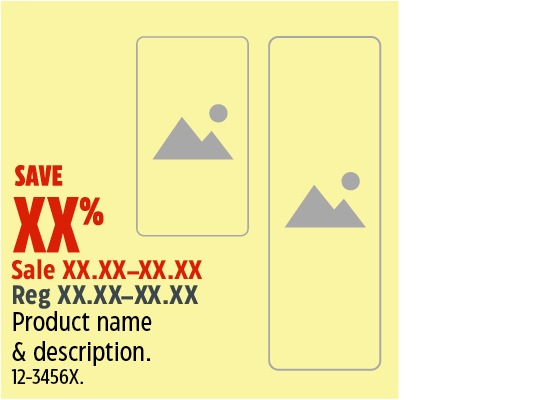
Show SKU product copy
The most commonly used format. This version of product copy can include all information (depending on the type of Save Story) and applies to SKUs which have a product image in the slot. Can appear on its own in a slot or be paired with list SKU product copy.

List SKU product copy
Follows the same formatting as show SKU but applies to SKUs which do NOT have an image in the slot. Must appear in a slot with at least one Show SKU. This style of copy removes all colour to help differentiate it from the Show SKU copy.
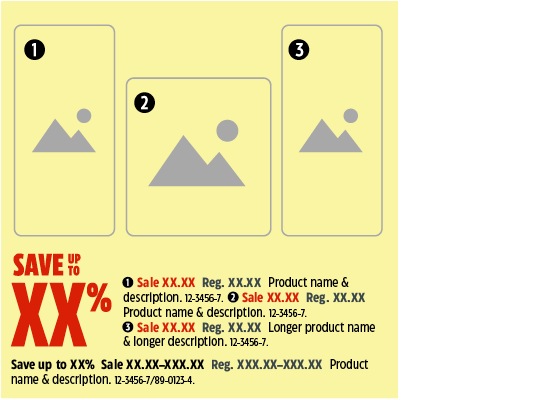
Keyed product copy
Commonly seen in slots with multiple show SKUs (minimum two). Follows the same formatting as the standard product copy with the addition of product keys that appear with the product images and within the product copy. Can be used in any slot size and must apply to all Show SKUs in the slot. List copy can appear in a slot with Keyed copy but it cannot be associated with any products.
Product copy construction
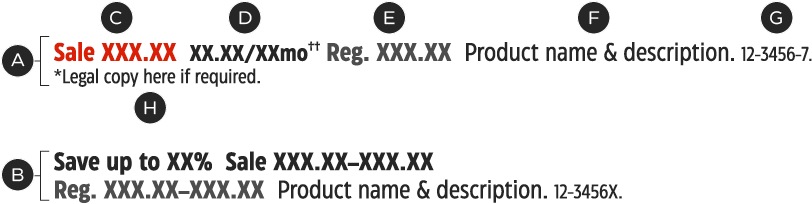
A – Show product copy—Uses colour and tints to draw attention to the main copy
B – List product copy—All tints of black, secondary to show copy
C – Promo price—CT Eastman Condensed, Bold, 9/10pt. CT Red
D – EPP—CT Eastman Condensed, Bold, 9/10pt. 100%-K
E – Regular price—CT Eastman Condensed, Bold, 9/10pt. 70%-K
F – Product name & description—CT Eastman Condensed, Bold, 9/10pt. 100%-K
G – Product number—CT Eastman Condensed, Medium, 7/8pt. 100%-K
H – Legal—CT Eastman Condensed, Medium, 7/8pt. 100%-K
Save Stories and product copy typically function as a single unit within the product slot. All product copy is built using the same basic formatting but there are some variables depending on the type of Save Story used. Be sure to check that the correct information is available when creating your product copy. For guideline information on the Save Story system, please see the Save Stories page.
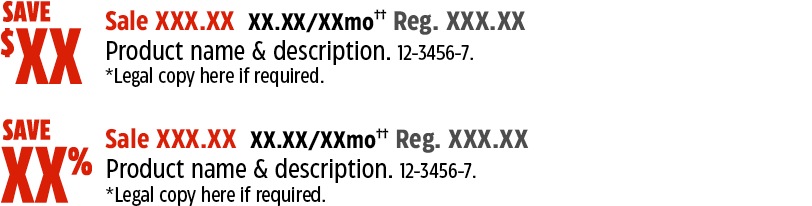
Dollar and percentage Save product copy
The most common Save Stories used. Product copy can include all information except a Save Story, as it would already exist as a separate element.
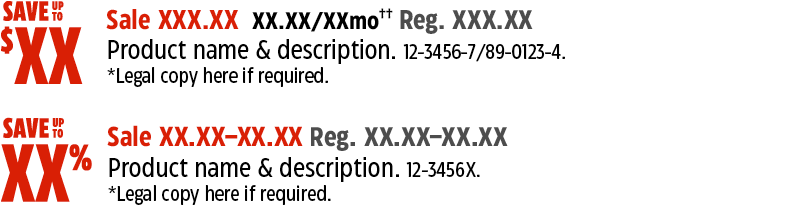
Dollar and percentage Save Up To product copy
Used in slots with more than one SKU (can have single Show SKU with an X-series product number). Commonly used with range pricing, Can include a promo price, regular price, product name & description, SKU number and legal.
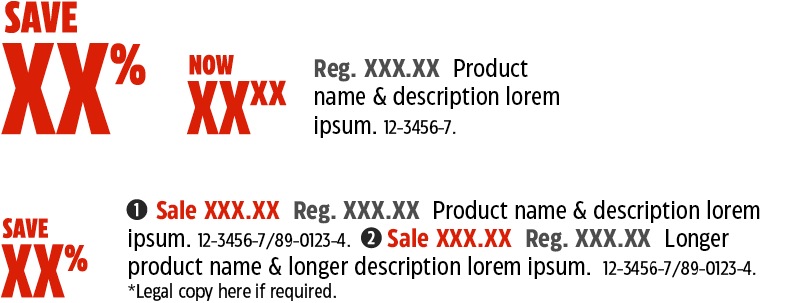
Now pricing product copy
Can be used for a slot with a single Show SKU or paired with a primary common Save Story for slots with multiple SKUs. Can include the EPP, regular price, product name & description, SKU number and legal.
Note: If the regular price and EPP is placed with the Save Story it cannot be repeated in the product copy.

From pricing product copy
Commonly used when a SKU has a wide range of versions that vary in price (i.e., automotive batteries). Can include a product name & description, product number and legal.

Common Save product copy
Used in slots with multiple SKUs and can be used with cut and copy or keyed slots. The Save Story can be an exact $/% Save Story or an up to Save Story. Product copy can include a product key indicator, promo price (only when up to Save Story is used), EPP, regular price, product name & description, product number and legal.
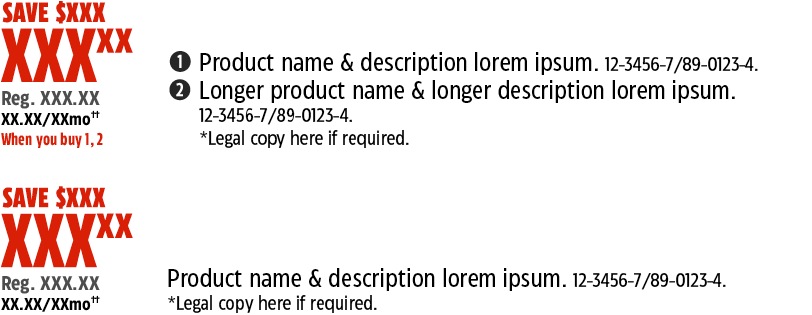
Stacked pricing product copy
Can be used in slots with multiple SKUs and can be used with cut and copy or keyed slots. Commonly used with big ticket items. Product copy can include a product key indicator, EPP, product name & description, product number and legal.
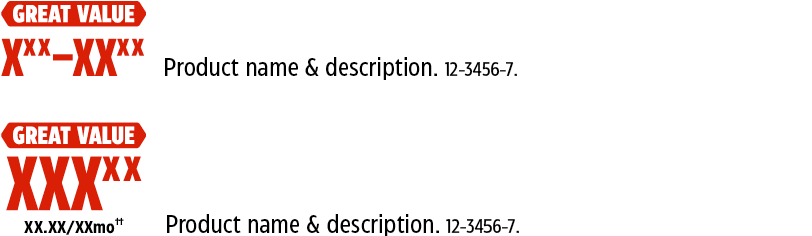
Great Value product copy
Can be used in slots with single or multiple SKUs. Product copy can include a EPP, product name & description, product number and legal.
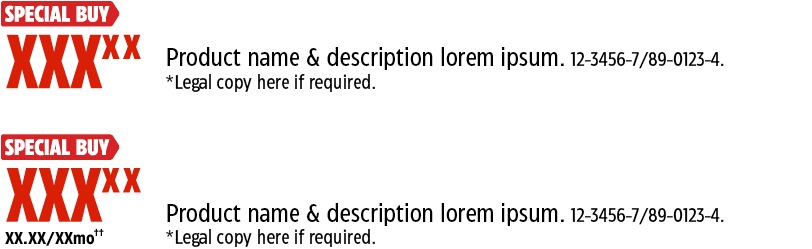
Special Buy product copy
Can be used in slots with single or multiple SKUs. Product copy can include a EPP, product name & description, product number and legal.
Alternate Save Story and product copy formats
Some Flyers require slight variations on the order and format of the standard product copy set up. See below for the exceptions to the standard product copy formatting.
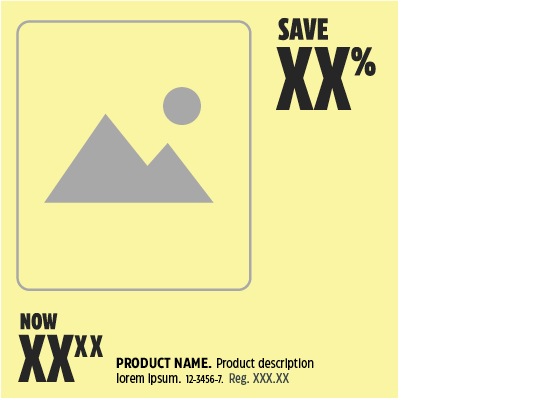
Tier 1 pricing format
Tier 1 Flyers are the biggest and most important sales that we run each year. These Flyers can heavily utilize multiple save stories in each slot and a stronger product copy formatting to help communicate the great deals to the customer.
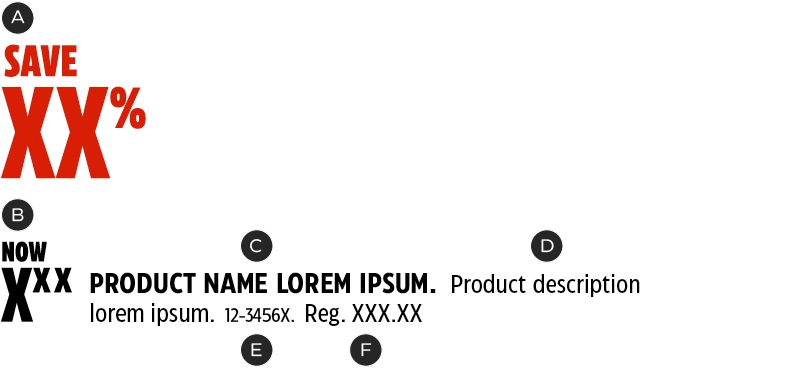
A – Primary Save Story.
B – Secondary now pricing Save Story.
C – Product name—CT Eastman Condensed, Bold, 10/10pts. All caps.
D – Product description—CT Eastman Condensed, Medium, 9/10pts. Sentence case.
E – Product number—CT Eastman Condensed, Medium, 7/8pts.
F – Regular Price—CT Eastman Condensed, Medium, 9/10pts. Sentence case.
Product copy dos and don'ts

Do limit the amount of copy in the slot to remain under 50% of the slot size when possible.
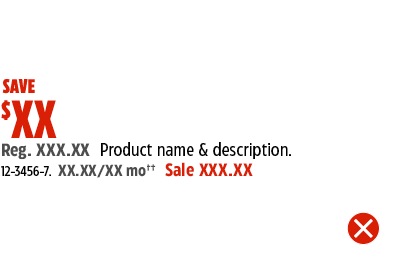
Do not alter the order of information.
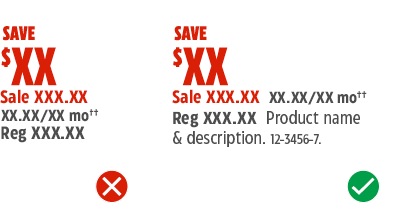
Do include all information required for the save story in use.
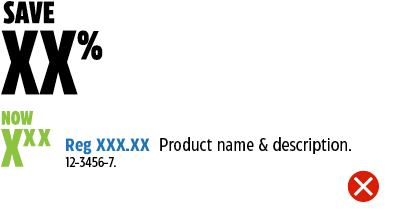
Do not recolour the product copy.
Product slot dos and don'ts
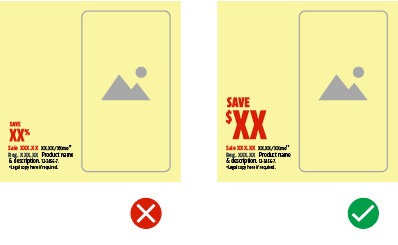
Do select the right size Save Story for the slot size.
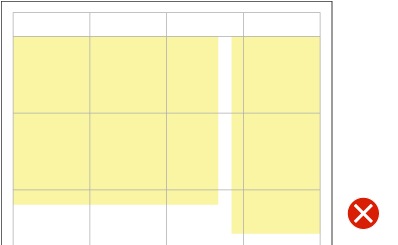
Don't create off-grid slots.
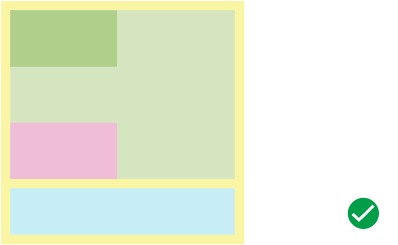
Do include all required zones.
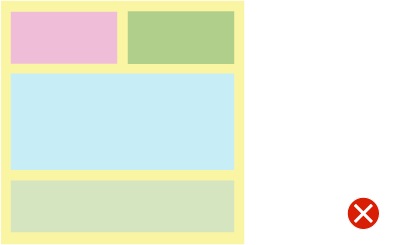
Don't create new zone arrangements.
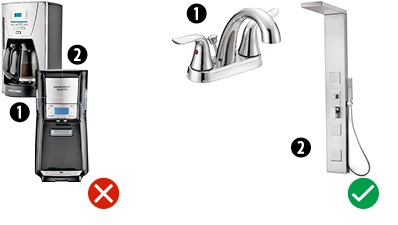
Clearly place product keys with their corresponding products.
Don't redesign the product keys.
Branded & Category Slots Summary
There are two types of product groupings in the flyer that can receive special treatment: Branded groups and Category groups. These slots are designed to draw attention to a set of SKUs.
Branded & Category Slots Zone System
The foundation of these groups are similar and comprised of a Header and Product Slots.
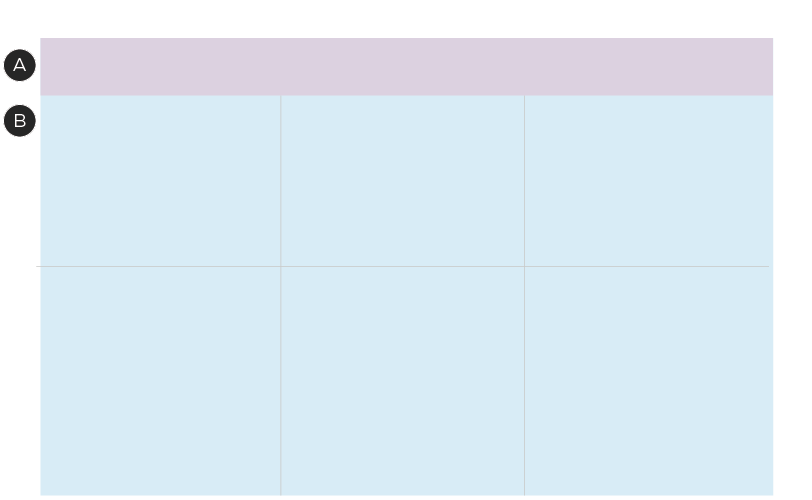
A – Headers
B – Product Slots
The main visual differences between Branded and Category Slots is the presence of brand logos and the colours/patterns that can be used in Branded Slots, while Category Slots only include headlines in the Header zone. The only exception to this rule is for categories that have set Omni Identities, such as Pet and Baby. These categories can include their category “logo” or identifier.
Due to the variety of brands and types of product grouping slots, an optional Additional Information zone also exists. When designing a Brand or Category slot, the hierarchy of information should appear in the following order:
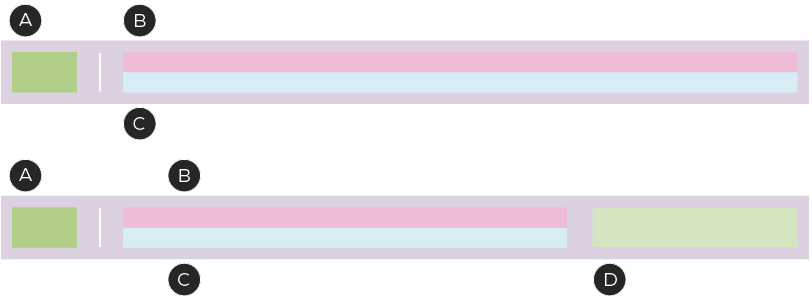
A – Logo - Appears only in Branded slots
B – Headline
C – Subheading
D – Additional Information (optional)
Branded & Category Headers
External Brands
Slots can be created for external or owned brands with slight variations in the creative and order of information. External Brand Slots can contain the brand's Logo, a Headline and must use the seasonally dominant colour as the Header's background colour.
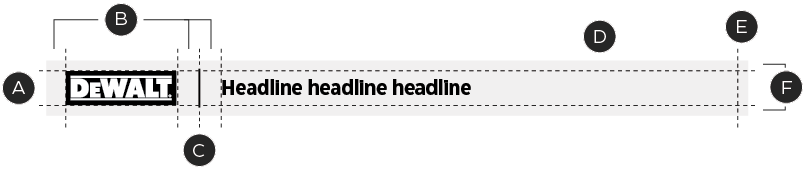
A – 2p9 header height
B – 1p0 margins
C – 1pt black line
D – Seasonal dominant colour
E – Right side margin must align with the slot margin
F – 0p4 margins
Owned Brands
Slots that contain Owned Brands can include additional brand elements such as exclusivity call outs and brand colours/patterns to help build awareness and draw attention to the slot.
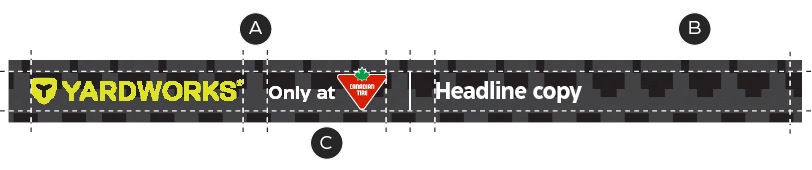
A – 1p0 margins
B – Owned brand colour or pattern
C – Use an exclusive call out
Owned Brand Slots contain the Brand Logo and Headline, just like the external Brand Slot, but also include our exclusivity call-out of "Only at" or "Now at" Canadian Tire. Owned Brand Slots also have the option to use a colour or pattern from the owned brand being showcased.
The background of the Product Slot area should use colour blocking in white or the accent seasonal colour to separate it from the other SKUs in the surrounding area.
Branded & Category Headlines
Headline zones are flexible to accommodate the different lengths of headline or tagline copy.
Unilingual Headline Copy

A – All copy should be left aligned
B – CT Eastman Grotesque, Bold, 12pt
C – 0p4 margins
In some instances, logos with limited widths may appear in combination with short headlines/taglines. Due to the flexible zones, this can result in a disproportionate amount of clear space on the righthand side of the header. To combat this occurrence, a secondary copy size option is available, but can only be used when meeting certain criteria.

A – CT Eastman Grotesque, Bold, 20pt
When this occurs, the headline size can be increased to 20pt if the following conditions are met:
- A single language is being used.
- There is no tagline.
- The logo/Icon is its maximum size while remaining within the margins. Tip: Use horizontal versions of logos/icons when possible.
- There is 1p0 of space between the logo/icon, dividing line and the headline/tagline.
- The headline does not extend beyond three grid units in width.
- There is a minimum of 0p6 space between the last character in the headline and the right edge of the header.
Bilingual Headline Copy

A – CT Eastman Grotesque, Bold, 12pt
B – CT Eastman Grotesque, Bold, 7pt
When a headline is too long, it may be typeset on two lines. It’s important to factor in length when considering French translation, which must be available for all brands.
Two-Line Headline Copy

A – CT Eastman Grotesque, Bold, 12pt
B – CT Eastman Grotesque, Medium, 7pt

A – CT Eastman Grotesque, Bold, 10pt
B – CT Eastman Grotesque, Medium, 6.5pt
C - CT Eastman Grotesque, Bold, 6.5pt
D - CT Eastman Grotesque, Medium, 6.5pt
E - English must appear smaller than the french text
French text must lead and appear at approximately twice the size of the English. For brands that include Headlines and Taglines, the set up will follow the same formatting as the standard bilingual headline treatment with the headline at twice the size of the tagline. Due to the amount of copy, especially when considering bilingual applications, it may be necessary to reduce copy for space requirements.
Additional Information

A – CT Eastman Grotesque, Bold, 12pt
B – CT Eastman Grotesque, Medium, 7pt
C - 1p0 margin
D – CT Eastman Grotesque, Medium, 6pt/8Pt

A – CT Eastman Grotesque, Medium, 6pt/8Pt
Occasionally, some slots may include additional brand or product information in the Header zone. This can be supporting logos (i.e. works with Google) or selling points for the brand (i.e. grain and filler free foods, Made in Canada).
While three lines of copy can be included, it must appear in bullet point form and set in CT Eastman Grotesque Medium at 6pt on 8pt leading.