

Sales aid Slugs
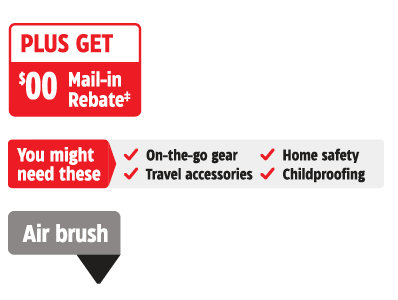
Sales aid Slugs are additional information given to customers to help increase the likelihood of a sale. Sales aid Slugs primarily appear in flyer, though have the opportunity to be used omni-channel. These Slugs can contain information to help them better understand differences in similar products (ie. Junior vs Senior skates, Air Purifier vs Humidifier), purchase incentives (ie. Rebates, gift with purchase), to educate and build confidence in a purchase decision and/or to recommend products that are commonly purchased together.
Categorization

Product tag Slugs
Product Tag Slugs are product grouping or category call outs to quickly differentiate products with similar appearances.

Purchase incentive Slugs
Additional bonuses that can be obtained through purchase like instant rebates or loyalty bonuses.
Education and upselling Slugs
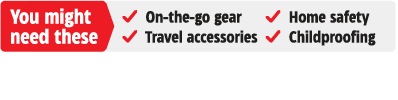
Additional information designed to reinforce and build confidence in the appropriateness of a product for the intended job and to recommend products commonly purchased together.

Product tag Slugs
Product tags contain information to help better understand differences in similar products (ie. Junior vs Senior skates, Air Purifier vs Humidifier). These tags are used when referring to slots containing multiple products.
Product tags must have a minimum of 4pt of spacing around all copy and the background container should use the Dominant Colour of the week.
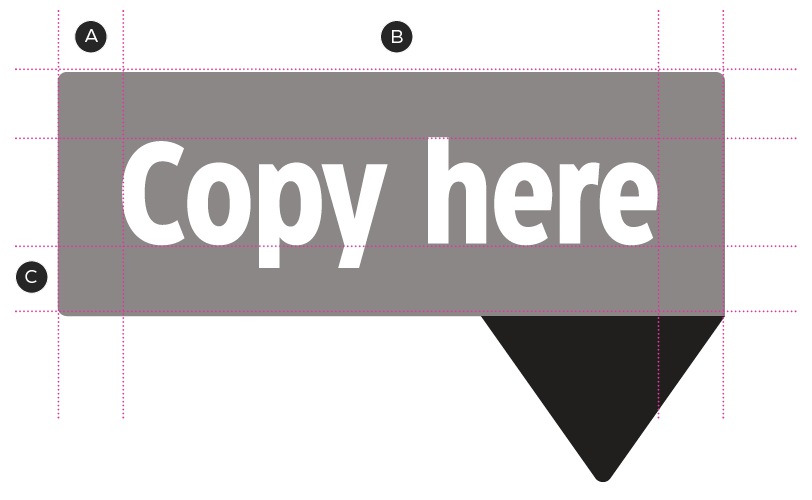
A – Equal spacing
B – CT Eastman Condensed Bold, 7.5/8 pt
C – 4 pt margins
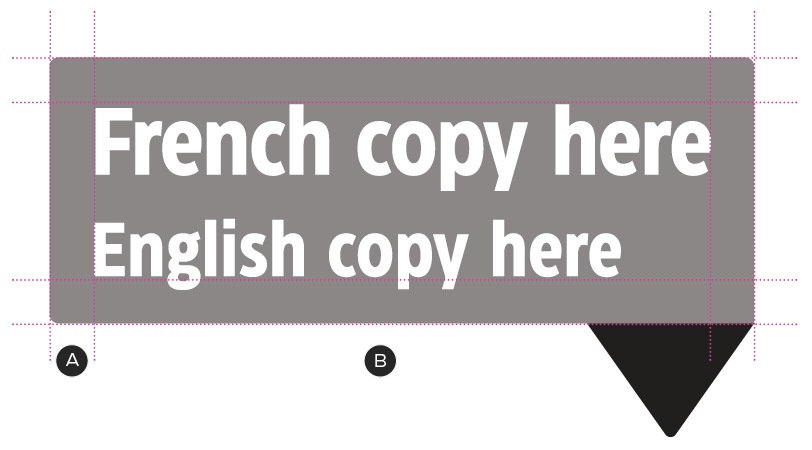
A – 2 pt rounded corners
B – CT Eastman Condensed Bold, 6/6 pt
The background container can adjust in size to suit the needs of your composition as long as the minimum of 4pts is intact. When expanding the background shape, text should remain left aligned and vertically centered.
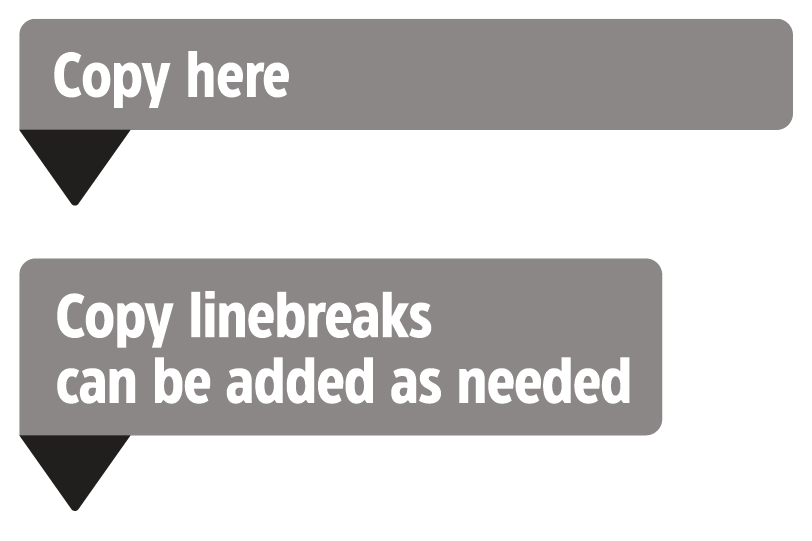
Background container can adjust in size and shape.
The directional arrow is based on the angle of the Canadian Tire Logo and must appear aligned to one of the corners. The outer corner which is aligned with the directional arrow must be square.

Arrow based on CT Angle

Square corner where slug meets arrow
The pointer can be moved to best accommodate the various text, size and orientation limitations that are faced. The pointer must always be in a corner of the background container but can appear on any of the sides, aligned to any corner.
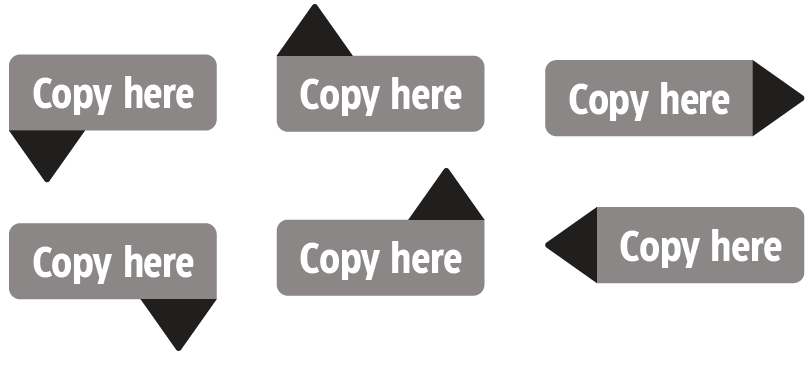
Adjustable pointer side and corner alignment.
Purchase incentive Slugs
Purchase incentive Slugs contain information related to a single or group of SKUs that aim in incentivize the sale in addition to our traditional promotional price. For example, these Slugs can be instant rebates, free gifts or additional loyalty multipliers.
Product incentive Slugs should follow the foundational Slug guidelines and can use a combination of authoritative and human tone of voice.

A – Equal Spacing
B – CT Eastman Condensed Bold, 10/10pt
C – 4pt margins
D – Urgent or Human Headline
E – CT Eastman Condensed Bold, 8/8pt
F – Can be CT Soft Black or CT Red
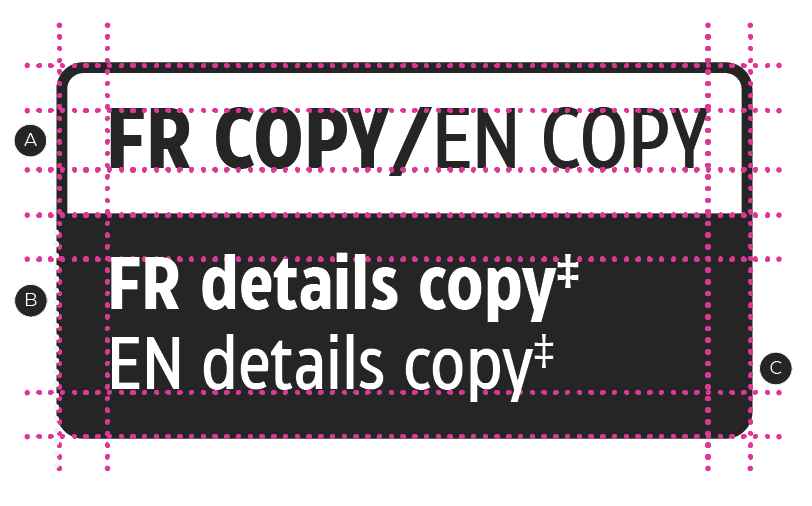
A – CT Eastman Condensed Bold, 8/8pt
B – CT Eastman Condensed Bold, 6/6pt
C – CT Eastman Condensed Medium, 6/6pt
By default, Purchase incentive Slugs are to be CT Soft Black, except for the CT Red used of the Rebate Program and any overriding Branding such as Triangle.

A – 1pt rounded corners
B – 4pt margins between Numerals & Text
Education and upselling Slugs
Educational and upselling Slugs contain information designed to educate customers and to build confidence in their purchase decision. These types of Slugs contain additional information tailored to an entire category rather than to a single SKU.
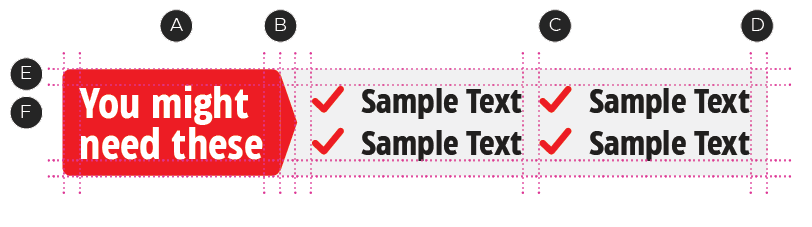
A – CT Eastman Condensed Bold, 10/10pt
B – Margin x2 between headline text & pointed edge
C – Omni channel checkmark icon
D – Equal spacing
E – 4 pt margins
F – Human headlines
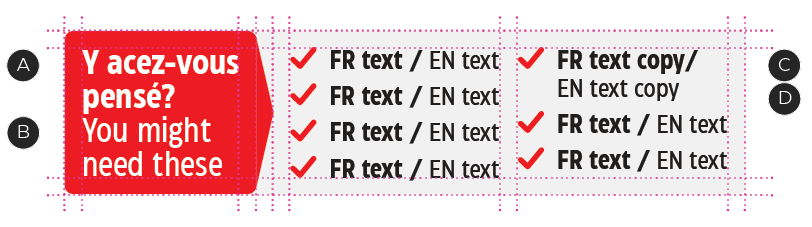
A – CT Eastman Condensed Bold, 8/8 pt
B – CT Eastman Condensed Medium, 8/8 pt
C – CT Eastman Condensed Bold, 6/6 pt
D – CT Eastman Condensed Medium, 6/6 pt
These Slugs come in two treatments designed to adjust to the various application sizes. Whenever possible, dedicate an entire edge of a Slug to a headline. In smaller spaces, where the headline can't occupy the entire height or width of a side, it may be converted into a banner format within the Slug. For detailed instructions on how to create a banner, please reference the Weekly Callouts guidelines in the Omni-Channel guidelines.
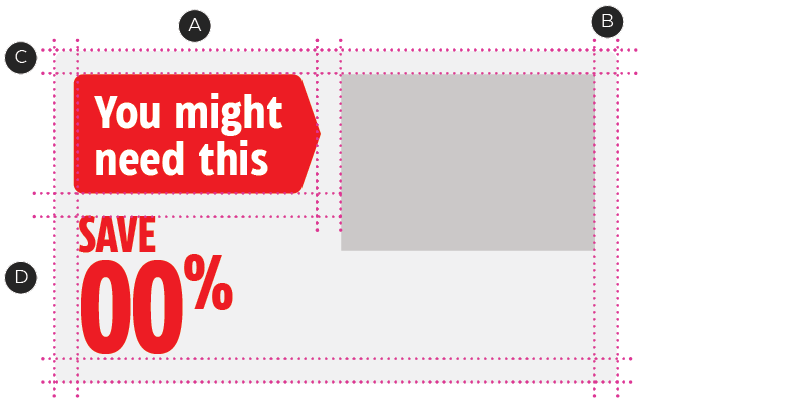
Default educational and upselling Slugs
A – Follows same text specs as above
B – Equal spacing
C – 4 pt margins
D – Follow omni save story guidelines
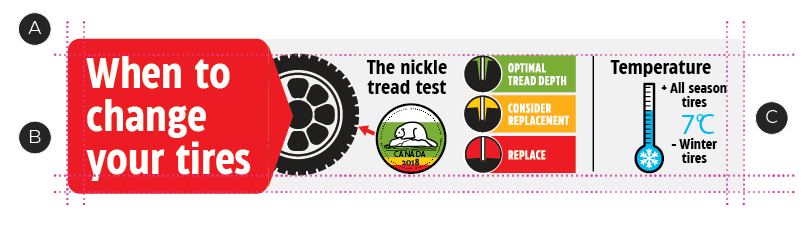
Smaller space educational and upselling Slugs
A – Maintain equal 4 pt margins
B – Follows same text specs as above
C – Flexible to acommodate different content
Dos and Don'ts

Do not use product tags for single product slots.
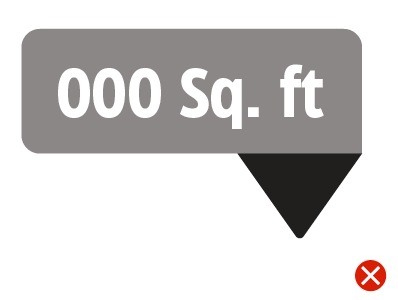
These tags are not to be used in place of a feature and Benefit or specification Slug or be applied to a single product.

Copy within slugs should avoid being hyphenated when possible.