

- Adjustments to Multibuy Save Stories and included copy. New Multibuy Save Story allows for multiple offers.
Save Story Circles can now be used for both individual products and categories
Former “Product Save Stories” are now called “Stacked Save Stories”
New High-Priority Save Story shape
New guidelines on scale/size
In-copy headline rules and alignment rules moved to Omni-Channel level
- Addition of a horizontally-aligned Save Story lockup, designed for digital banner applications.
Save Stories
Introduction
Save Stories is the name we use when talking about the overall savings system. It’s also how we inform the consumer about product savings. Regardless of channel, all Save Stories are CT Red or white. Save Stories come in a variety of types and formats, which all have their own sets of rules.

A – Savings indicator – Can be Save ($ or %), Save up to, Now, From, Only, Your Choice, X for, Buy One, Get One/Get the 2nd, fraction off, Great Value, Special Buy or New Lower Price.
B – Numerical value – Can be a $, % or fractional price. Dollar saves can be exact or a range.
Formats
Stacked Save Stories

Stacked Save Stories are the primary format most commonly seen across our channels. Stacked Save Stories include special callouts to help create excitement and add a sense of urgency, such as those seen with Now or Great Value variations.
Horizontal Save Stories

Horizontal Save Stories
Horizontal Save Stories are an alternate format that can be used on digital applications that favour a horizontal layout, such as performance marketing assets. This allows for focus on the Save Story value, while providing the information in a horzontal format. It is an alternative format that should be used primarily in our digital channels, where the stacked Save Stories are not useable due to size and orientation.
In Copy Headlines
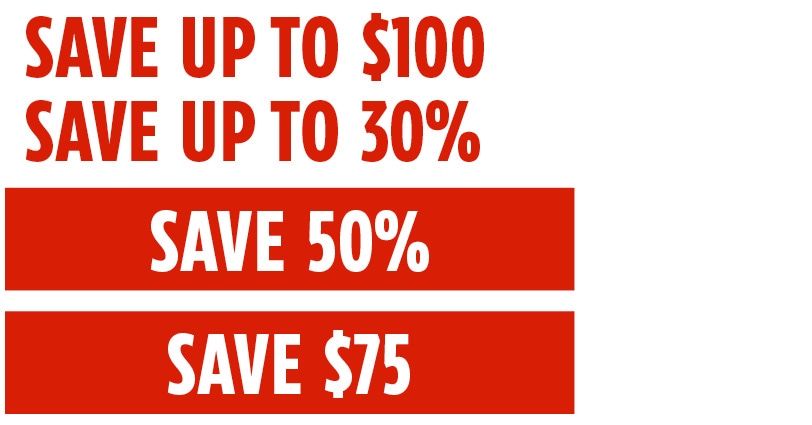
There are some instances where save stories can be used as headlines. In Copy Headlines use the authoritative brand tone. Save Stories should be either CT Red or reversed white on a CT Red /dark background. When appearing within the red banner, the width is variable and copy should be centered. For more information on how to write for Canadian Tire, please see the Tone of Voice and Persona pages.
Variations
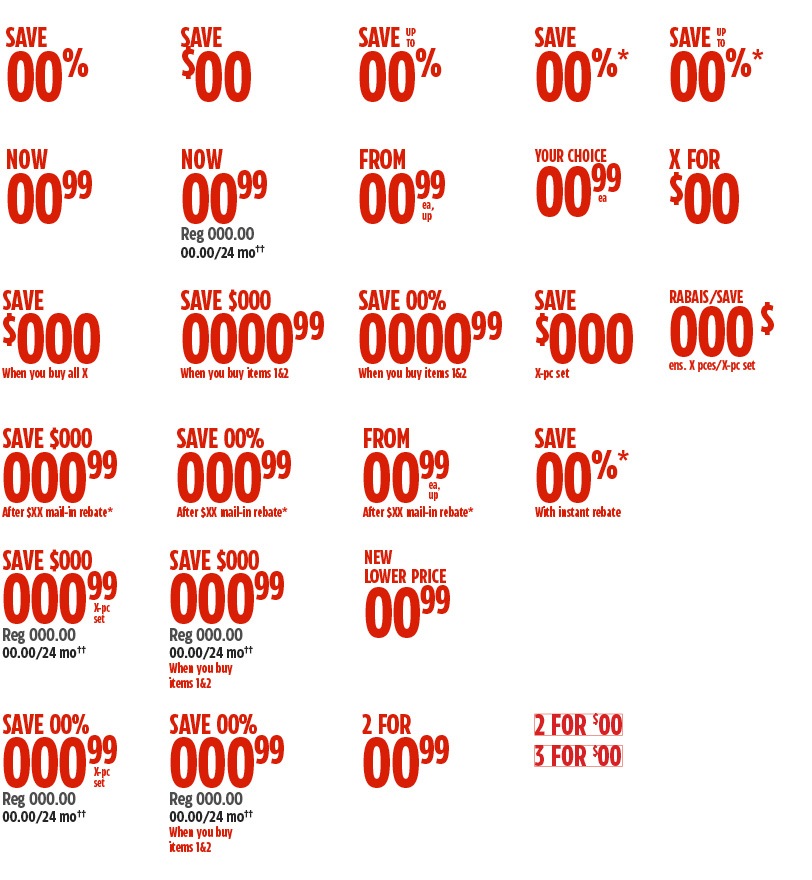
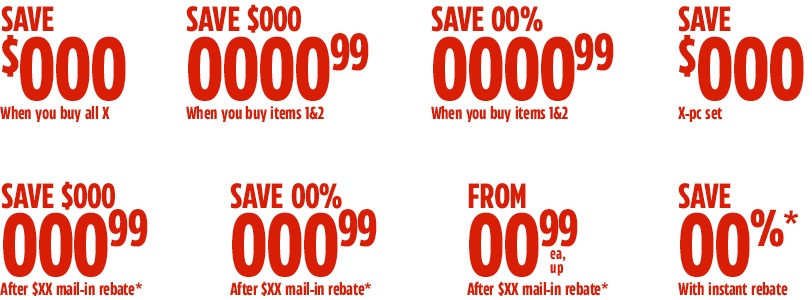
There are many variations of Save Stories. The variations of our Save Stories have different effects on our customers and the perceived value associated with the product or sale. These variations include dollar or percentage saves, from or now pricing, multi-buy pricing and more.
Any variation can be formatted to appear as a Stacked Save Story or an In Copy Headline. When selecting a Save Story, ensure it is the most accurate and appropriate variation and format for the product or sale. The Save Story in use can have an effect on the other copy present and can require addition legal or qualifications or can only be used in association with certain groups of products. For more information on Product Copy required for flyer, see the In-Channel Flyer page for Product Slots.
Size
Save Stories can be scaled for use based on the channel they are being used in. For instance, the flyer scales based on the set product slot size where as digital scales based on the component and screen size. These sizes are kept visually proportional between channels to maintain the hierarchy of the Save Story system.
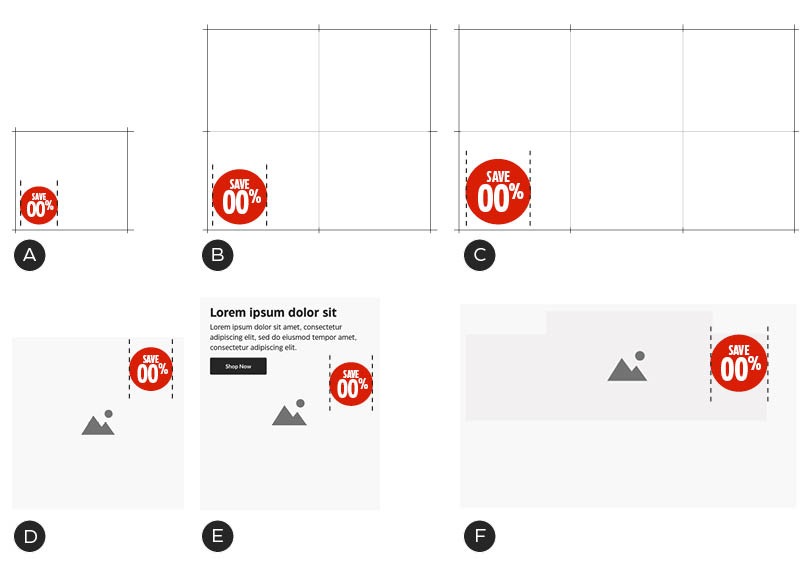
A – Print flyer, traffic drivers slot (single grid unit) with Save Story scaled at 35% of the width.
B – Print flyer, sub-feature slot (four grid units) with Save Story scaled at 24% of the width. This scaling also applies to double slots.
C – Print flyer, feature slot (six grid units) with Save Story scaled at 20% of the width. This scaling also applies to Super feature slots.
D – Digital 1:1 mobile performance marketing ad, Save story scaled at 25% width.
E – Digital mobile email a-spot, Save Story scaled at 25% width.
F – Digital performance marketing facebook/youtube video, Save Story scaled at 15% of width.
High Priority Save Story Containers
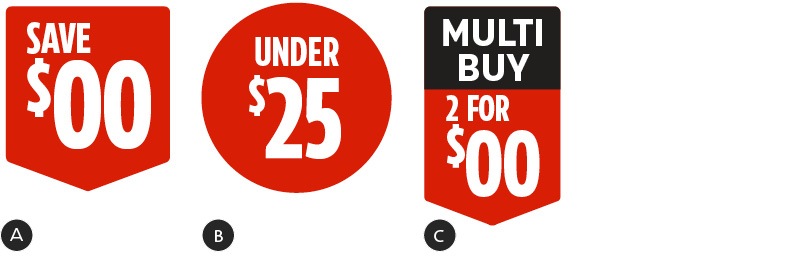
High priority save story containers
A - Tier 1 High-Priority Save Story container - exclusive use for Tier 1 events only
B - Tier 2–4 Save story circle
C - Tier 1, 2 & 3 split banner
High Priority Save Story Containers are used to call attention to savings on a page. The High Priority Save Story Container application must be consistent across all channels. The Save Story must always be contained fully within the Save Story Container. The size of the Save Story Container is dictated by the size of the Save Story and the size of the asset/flyer slot that it is placed in. Any Save Story variation can be used within a High Priority Save Story Container.
High Priority Save Story Containers should be limited in their use to ensure the impact of their application. The type and number of allowed High Priority Save Story Containers is dictated by the tier of the promotional event.
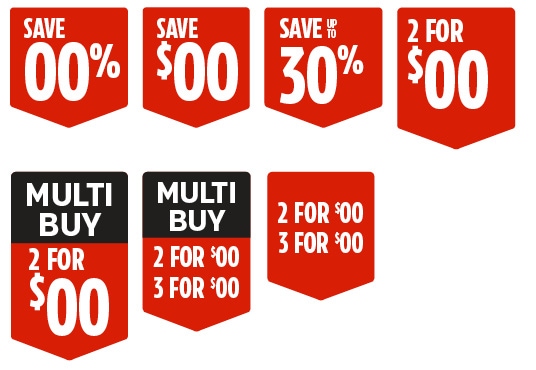
Tier 1 promotional events
Tier 1 promotional events have their own unique save story container which must not appear in any other tier of promotional event.
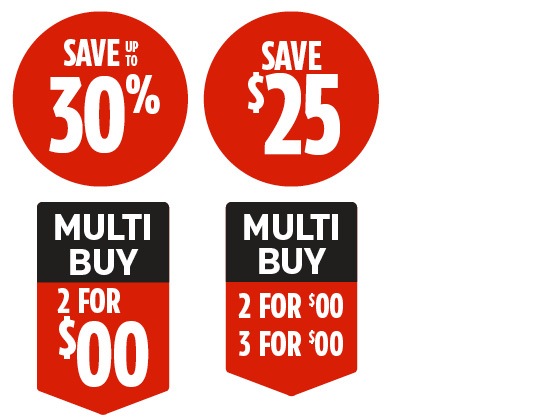
Tier 2 and 3 promotional events
Tier 2 and 3 promotional events primarily use red circles to enclose Save Stories but can also use the Split Banner container as needed.
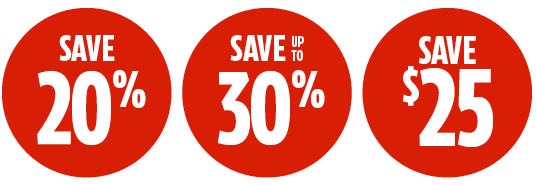
Tier 4 promotional events
Tier 4 promotional events focus on using the circle container shape in a more limited capacity than the higher tier events.
Construction
Save Stories are set in the CT Eastman brand font and should primarily appear in CT Red. They are set in CT Eastman Compressed Bold. Hot Deal and Multibuy headers are set in CT Eastman Grotesque Bold and ExtraBold. The typography structure and application is consistent between Stacked Save Stories and High Priority Save Story Containers. The sizing, weights and alignments must be applied consistently throughout all omni-channel applications. Though the majority of Save Stories are typeset on two lines, some can appear on three lines. In order to accommodate the additional height, the type size is reduced. Please note that in digital banner applications where space is limited, one may use horizontal Save Stories, which allow for a horizontal layout, while maintaining a focus on value.
Anytime you use the Multibuy Save Story, the product copy must adjust to reflect new legal requirements. The regular price should be replaced with "00.00 ea". For more inofrmation on copy, please see the Format section. The Multibuy Container format is the preferred presentation of this Save Story.
Templates are available for Stacked Save Stories and High Priority Save Story Containers. See the Downloads section for links.
Two Line Save Stories

A – Stacked Save Stories should be left aligned.
B - Save messages are consistently sized across the available variations.
C - Dollar and percent symbols, and cent value numerals, must be 1/2 the height of the dollar value numerals.
D - Centre Save Story within the shape vertically. Some tweaks may be required to ensure optical alignment.
E - Centre Save Story within the shape horizontally. Some tweaks may be required to ensure optical alignment.
F - Equal spacing on top and bottom of banner shape.
G - Save Story should remain left aligned within the shape.
H - Centre Stacked Save Story within the shape.
I - Do not allow text to sit too deep into the point of the shape.
J - Centre multi-offer text vertically in the lower area of the split shape.
Three Line Save Stories
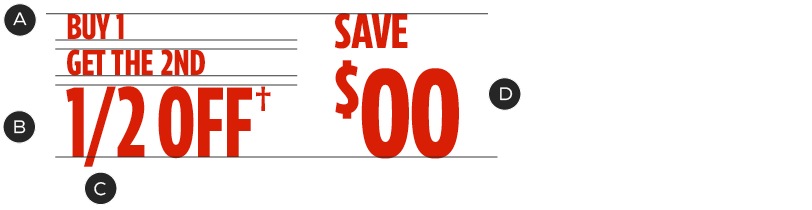
A – CT Eastman Compressed Bold, 26% size of numerals, Tracking: -20.
B – CT Eastman Compressed Bold, Tracking: -20.
C – A number of fraction glyphs are available for use. For custom fractions, use numerators and denominators (U+0031–0039) and a division slash (U+2215) with custom kerning.
D – Three-line Save Stories maintain the same height as two-line Save Stories.
Horizontal Save Stories
An application that suits horizontal Save Stories very well would be our digital banner tiles. The horizontal Save Story can be used in these largely horizontal formats. They benefit by maintaining the focus on the Save Story value, despite being within a small space.
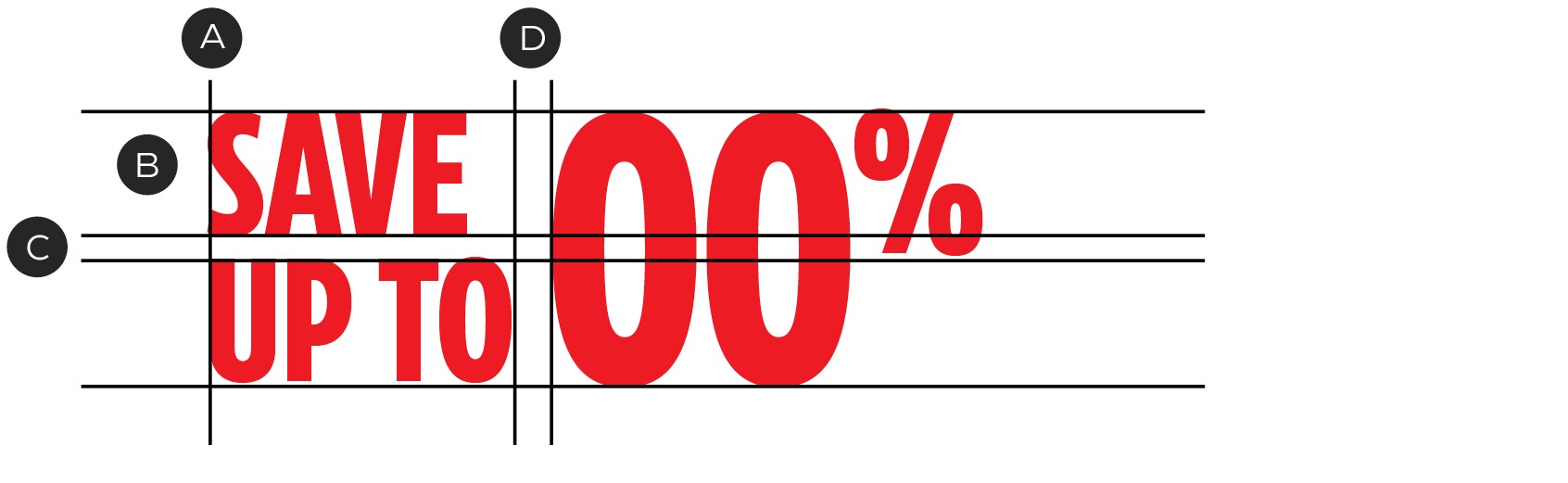
A – Horizontal Save Stories should be left aligned.
B - Save Story messaging should be scaled to half the height of the Save Story value, and placed on two lines.
C - Apply leading of approximately 80% of the point size of the Save Story messaging.
D - Save Story messaging should be separated from the larger Save Story value by 1/2 character space between the text blocks.
Single Headline Save Stories
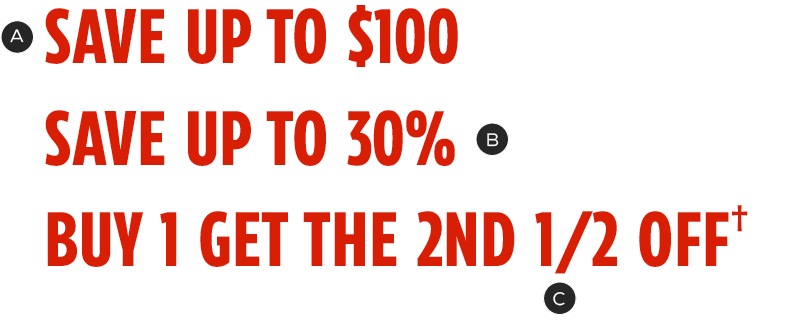
A – CT Eastman Compressed Bold.
B – Dollar and percent symbols are not superscripted.
C – Fractions follow the standard guidelines (see above).
Dollar and Percentage Symbols
Use dollar symbols with Save, Save up to, and category savings messages. Never use the dollar symbol when listing an exact price with cents. Percent symbols are used in any case a percentage (or percentage of savings) is indicated.
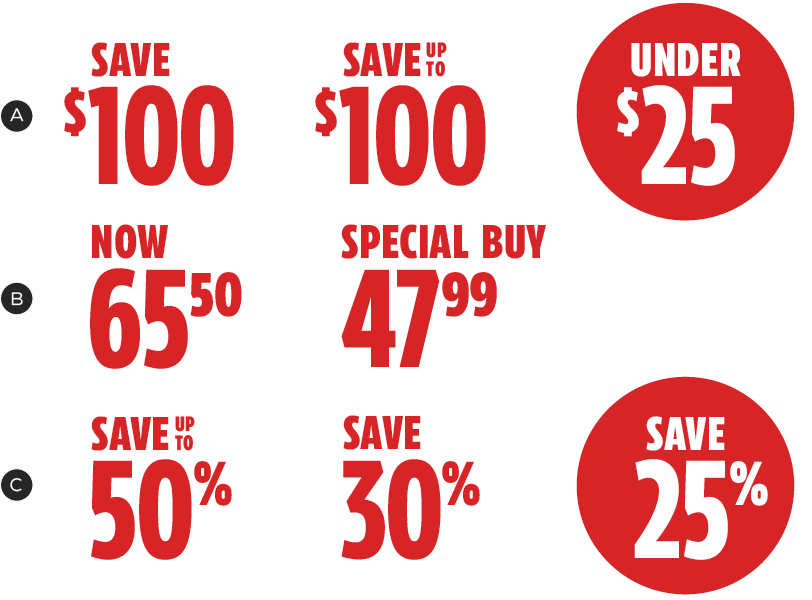
A – Dollar symbol examples.
B – Exact price examples: note that the dollar symbol is not used here.
C – Percent symbol examples.
Value Points
Value Points are a way to add excitement and anticipation to Save Stories. They are used when the savings are of a higher than normal value proposition, for a limited time, or add some other benefit to the customer. Value Points are Omni-Channel and can be applied to all Save Story formats. There are three types of Value Points:
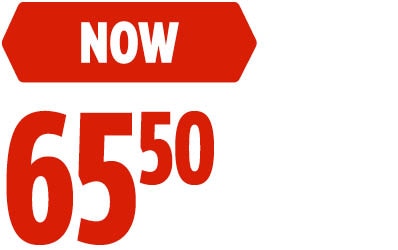
The Now Value Point is commonly used in combination with a general Save Story—meaning a slot with multiple products on sale. In these types of slots, each SKU will receive its own Now Value Point. Now pricing is common within Tier 1 Flyers. For more information, please see the Flyer Channel Product Slot page.
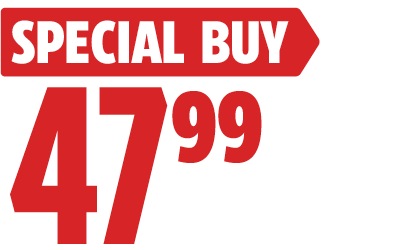
The Special Buy Value Point is used to call attention to a price that has a limited timeframe. Note the container for this Value Point only uses a triangular shape on the right side.
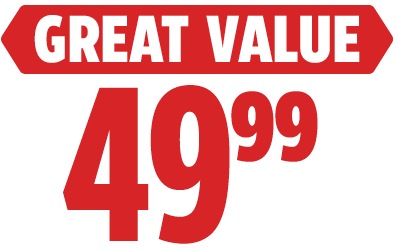
The Great Value Value Point is used for items that are not on sale but are an Everyday Low Price (EDLP). Great Value points may use either single price points or range pricing.

Value Point containers have rounded corners that echo the shapes of our Triangle Graphic Element. Do not alter this aspect of the containers.
Value Point typesetting

A – CT Eastman Condensed Bold, 30% size of numerals. Tracking: 20.
B – CT Eastman Condensed Bold, 26% size of numerals. Tracking: 20.
C – CT Eastman Condensed Bold, 30% size of numerals. Tracking: 20.
Bilingual Value Points use different container shapes from unilingual versions. The copy must remain contained within the shape – never resize the shape. Type size has been reduced slightly to allow for two lines of copy in these executions.
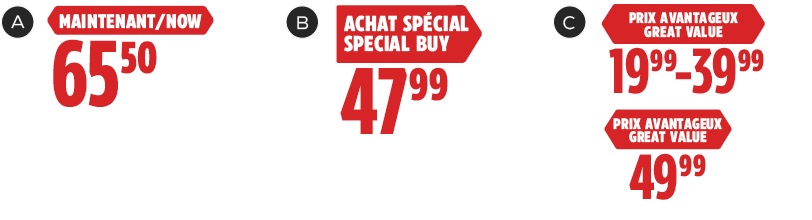
A – CT Eastman Condensed Bold, 21% size of numerals. Tracking: 20.
B – CT Eastman Condensed Bold, 23% size of numerals. Tracking: 20.
C – CT Eastman Condensed Bold, 23% size of numerals. Tracking: 20.
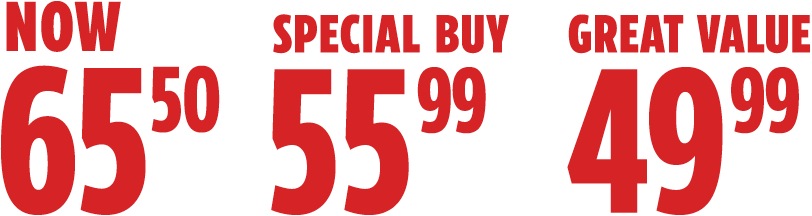
Removal of Value Point containers
In situations where space is limited and price points must be small, the Value Point container may be removed. In these instances, the text becomes CT Red and is aligned flush-left with the numerals.
Save Stories with call-outs
Save Stories may include call-outs, used to specify conditions including Each, legal information and additional qualifications or pricing information.
The Each call-out
Add “ea” (each) in the price lockup to signify that the pricing is for individual items. The Each call-out is always set in lowercase and abbreviated to “ea”—without a period. This format is standard for all channels.
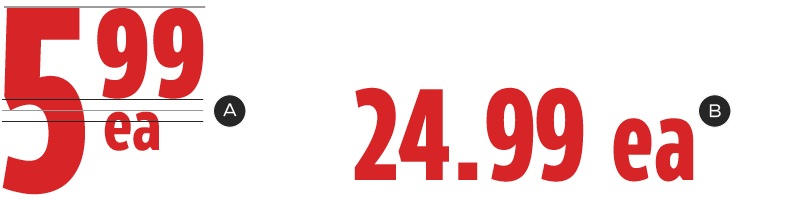
A – Product Savings Save Story – CT Eastman Compressed Bold, 55% size of numerals. Tracking: -20.
B – Headline Save Story – CT Eastman Compressed Bold.
Qualifications call-out
Some Save Stories only apply to certain combinations of products in a slot or include conditions on the price. Such qualifications appear at the bottom of the Save Story lockup and are always formatted the same way.
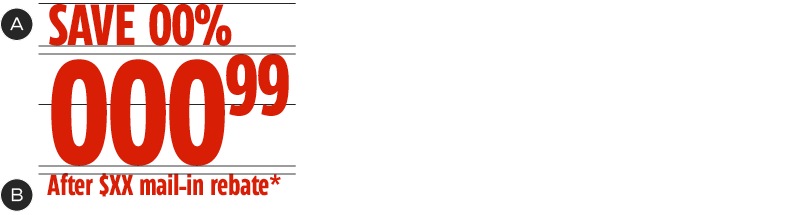
A – Follows the same formatting as the standard Product Savings Save Stories above.
B – CT Eastman Compressed Bold, 19% size of numerals. Tracking: -20.
Additional pricing information
Save Stories can be accompanied by additional pricing information: this could be a regular price or an EPP (Equal Payment Plan) value. These copy elements follow the same formatting defined in the Product Slots guidelines.
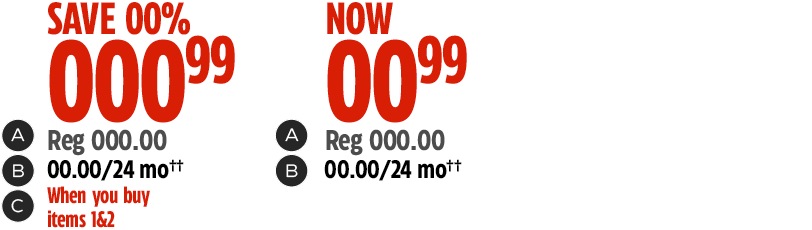
A – Regular price—CT Eastman Condensed Bold, 25% size of numerals. Tracking: -20. Black @70% tint.
B – EPP pricing—CT Eastman Condensed Bold, 25% size of numerals. Tracking: -20. Black.
C – See Qualifications guidelines above.
Positioning and Alignment
The positioning of a Save Story in relation to a product must be flexible in order to adapt to all channel restrictions. When possible, keep all Save Stories within close proximity and similarly aligned to maintain clarity and layout rhythm. Consider the following best practices when placing Save Stories in your composition:
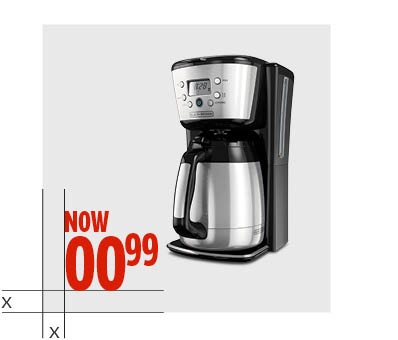
Place Save Stories to the left of product images. The Save Story should be equal distance from the sides of frame.
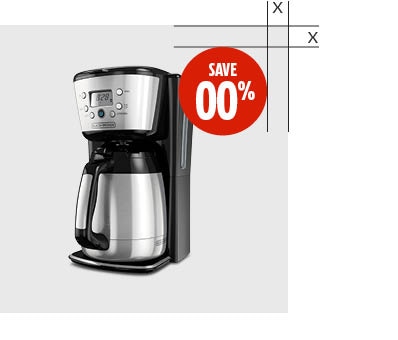
Align High-Priority Save Story Containers to the top-right of product images. The outer edge of the circle should be equal distance from the sides of frame.
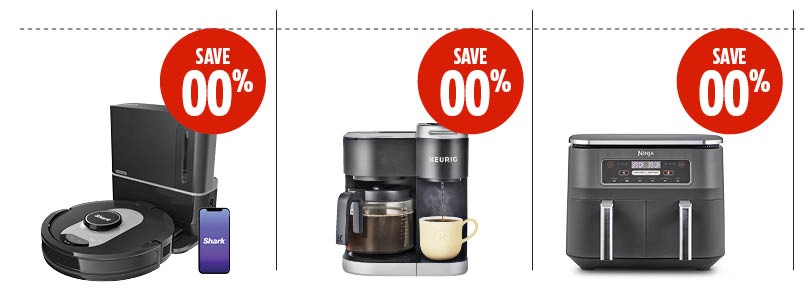
When more than one Priority Save Story Container appears in a single asset, maintain alignment between each instance.
In-channel applications
Though the foundational stylings of our Save Stories are designed at an Omni-Channel level, Flyer applications require additional guidelines. For more information, please see the Product Slots page.
Dos and don'ts
Save Story guidelines have been designed with care and attention to detail. Please refrain from changing or adding elements to the System.
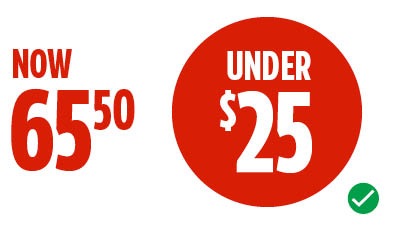
Do select the best format for your composition.
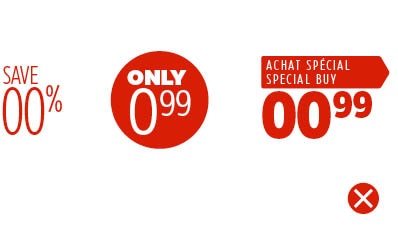
Don't change the typography to a different font or change the weights of the fonts.
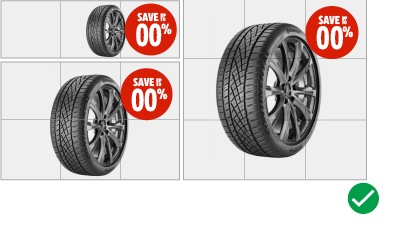
Do limit the size of the High Priority Save Story Containers based on the size of the asset.
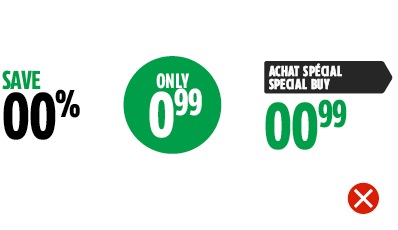
Don't change the shape, style or colour of circles and other containers.
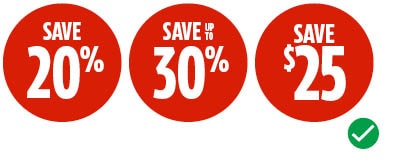
Do customize the Save Story variation within the High Priority Save Story Containers.
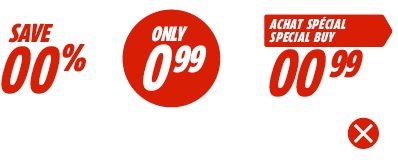
Don't use italics or exclamation marks to add emphasis.
Only use CT Red and white for Save Stories.
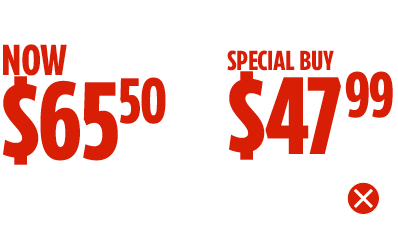
Don't use the dollar symbol for specific price points.

Do not combine Multibuy with other offers.
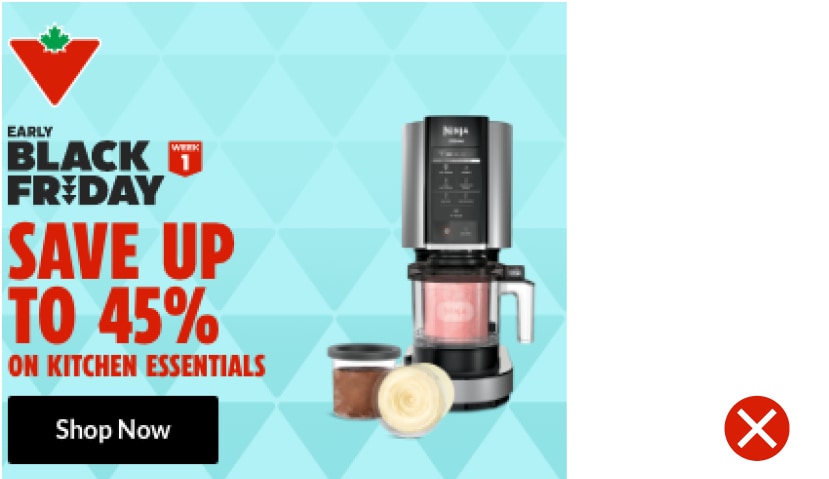
When applying Save Stories in smaller assets, do not undersell the value messaging by using one size of type. Instead, use the horizontal Save Story lockup.