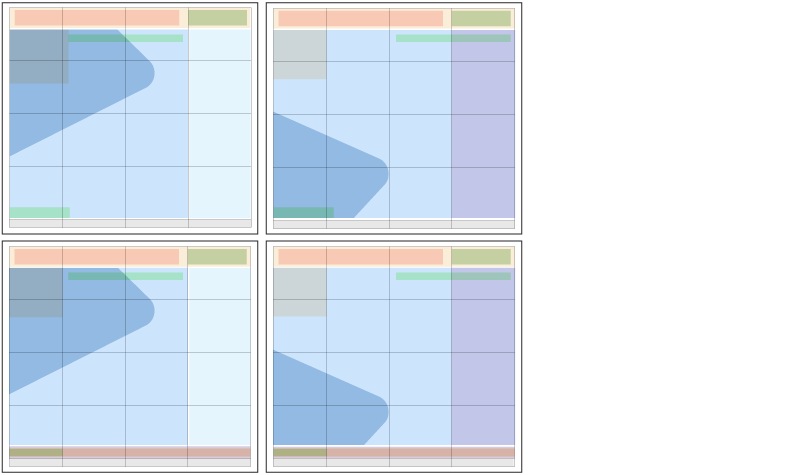
Special Print Zone System
The Special Print books are designed on a grid and follow the same foundational zoning system which we use in the Flyer with a few tweaks to customize it for the unique zones in these books. Zones can be arranged in a variety of combinations to create different layout options.
Front cover zones
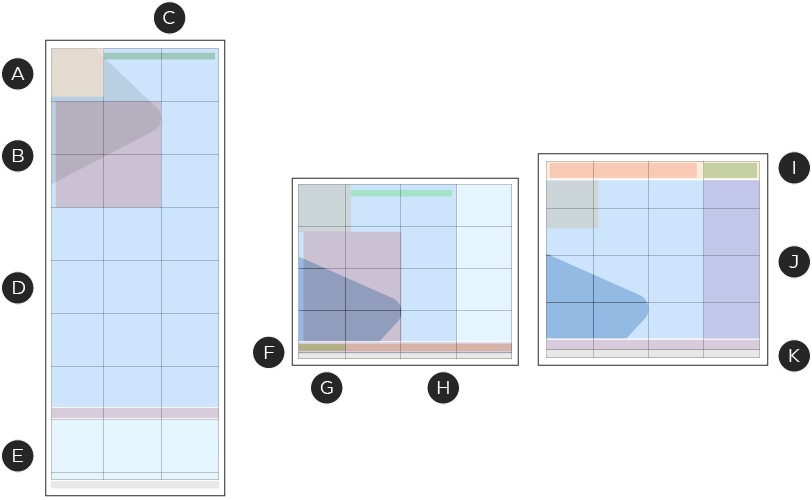
A – Brandmark (required):
The CT Brandmark is in a fixed positioned of the top left corner of the grid. The logo sits a 1/2 leaf distance from the top and left side edge of the feature image zone.
B – Lockup (required):
Located below or to the right of the logo or within the pop-up zone, this zone is dedicated to lockup. The lockup is designed based on a system with variations for the different types of books within the Special Print program.
C – Event date & duration
This zone is located at the top of the feature image area or within the pop-up and contains detailed information on the event dates and duration for the publication.
D – Feature image (required):
This zone is the largest on the front cover and defines the size and position of the feature image. This space can contain an inspirational image staged with promoted products or can be an image from which products are sold.
E – Product (optional):
This zone defines the location of additional product slots on the front cover. It is flexible in size and can show 2–4 lifestyle or close cut SKUs.
F – Basebar (optional):
This zone is located at the bottom of the feature Image zone or page and contains a Signature zone and additional logo zone.
G – Signature (required):
This zone contains a Brand Signature, commonly Canada's Store and can be positioned to be integrated into the feature image zone or as a part of the basebar. Only one Signature zone can appear per cover.
H – Additional logos (optional):
This zone is positioned within the basebar zone and contains brand logos representing those which products are within the book.
I – Pop-up (optional):
Depending on the format, some Special Print books include a pop-up zone. This zone contains the lockup and event date & duration zones and is positioned at the top of the page.
J – Headline & call-outs (optional):
This zone can appear on front covers that do not have a product zone. This zone contains headlines and call-outs related to the content within the Special Print book. This zone sits overtop of the feature image zone.
K – Legal (required):
Located at the bottom of the page, this zone is dedicated to any legal pertaining to the event and/or offerings.
Integration with digital
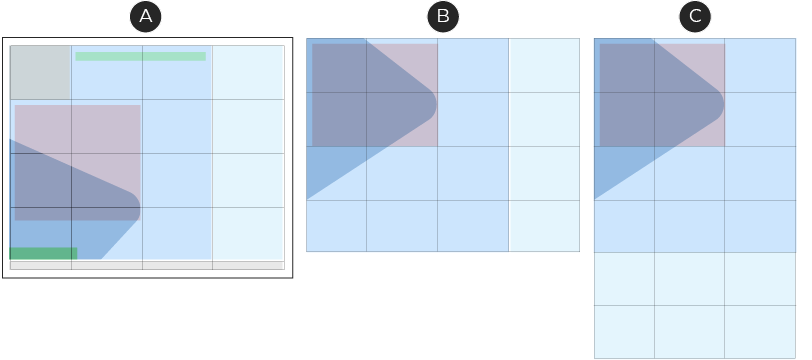
A – Print Flyer
B – Desktop view
C – Mobile view
Just like the Flyer, the Special Print program is available online and optimized for that channel. The Zone System maintains the same formatting online in order to create a consistent experience for our customers, regardless of where our customers are interacting with it. In print, no zone may extend beyond three grid units due to the limitations of the mobile view.
Sample zone combinations
Narrow Broad
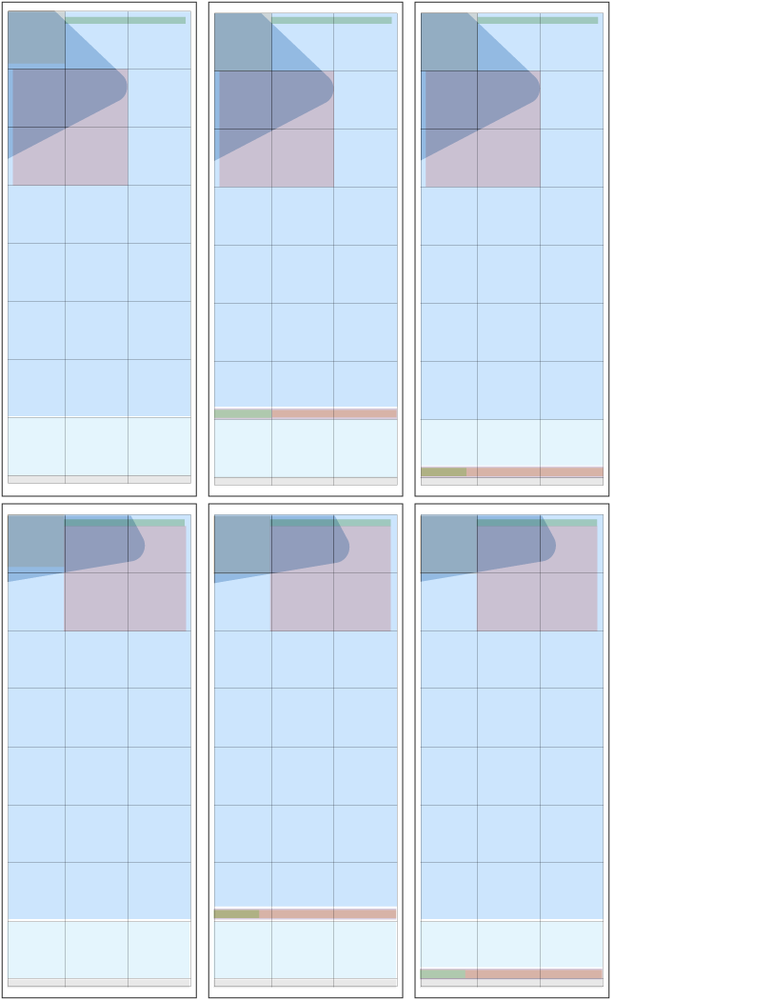
Square Tab
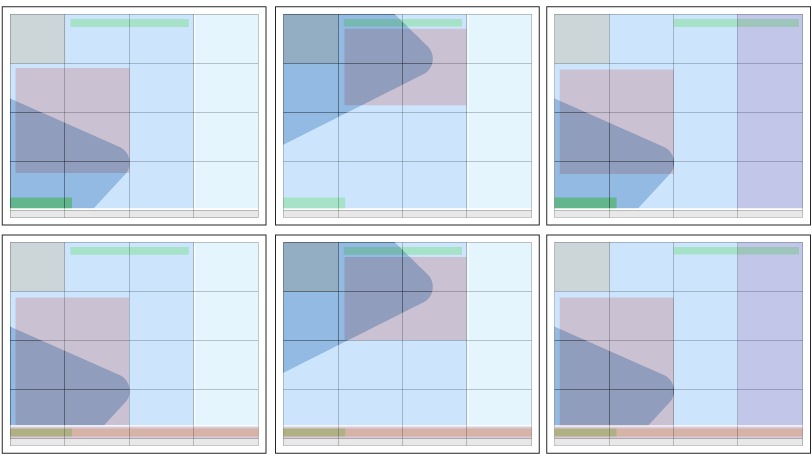
Square Tab with pop-up