

General motion
Product carousels
This provides guidelines on how products slide in from frame-left and exit frame-right. Transitions between products should take approximately 0.8 seconds and have a consistent ease in and out – but the time it takes to transition from product to product will also depend on the number of products featured. Add motion blur to the product photography to visually smooth the movement. Product carousels have a 1:1 aspect ratio.
Motion example
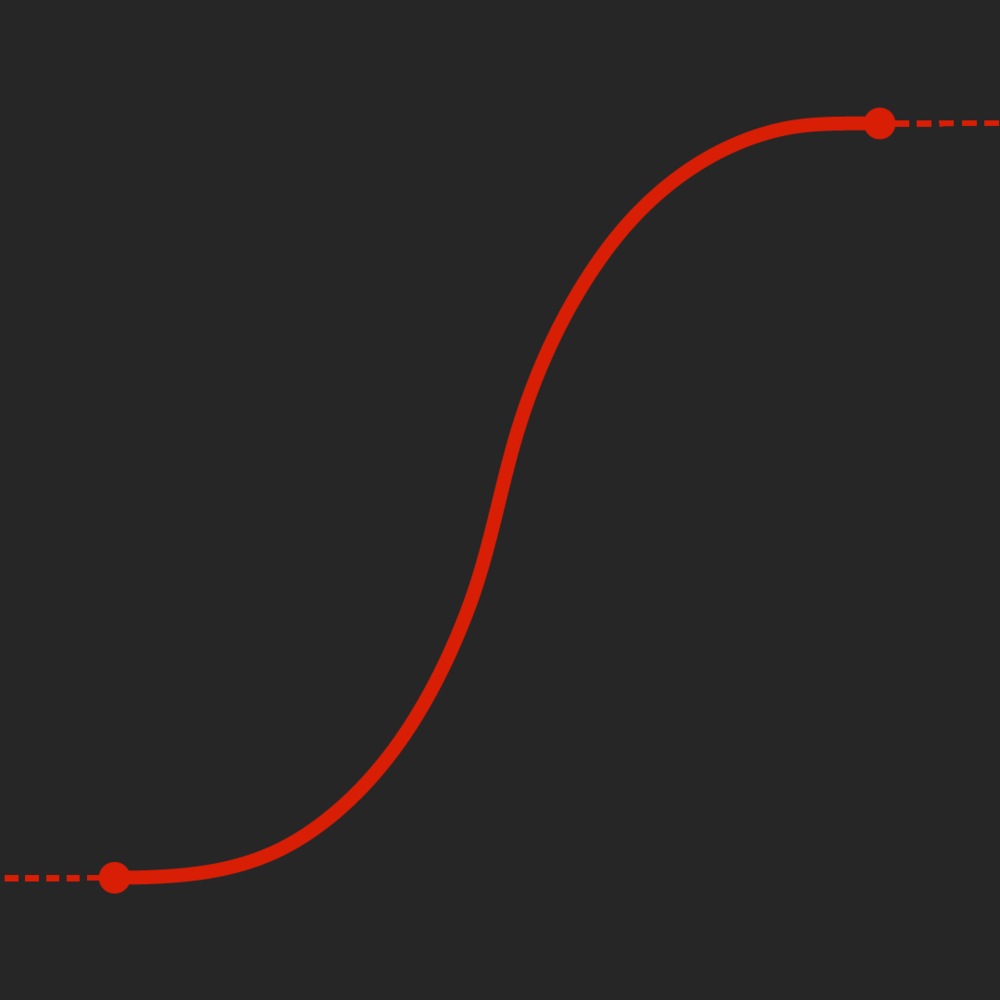
Easing curve
Save Stories
Save Story bubbles appear diagonally, and exit the screen alongside the product to which they are attached. This action takes 0.5 seconds to resolve. The Save Story's distance from the product can vary as needed.
Motion example
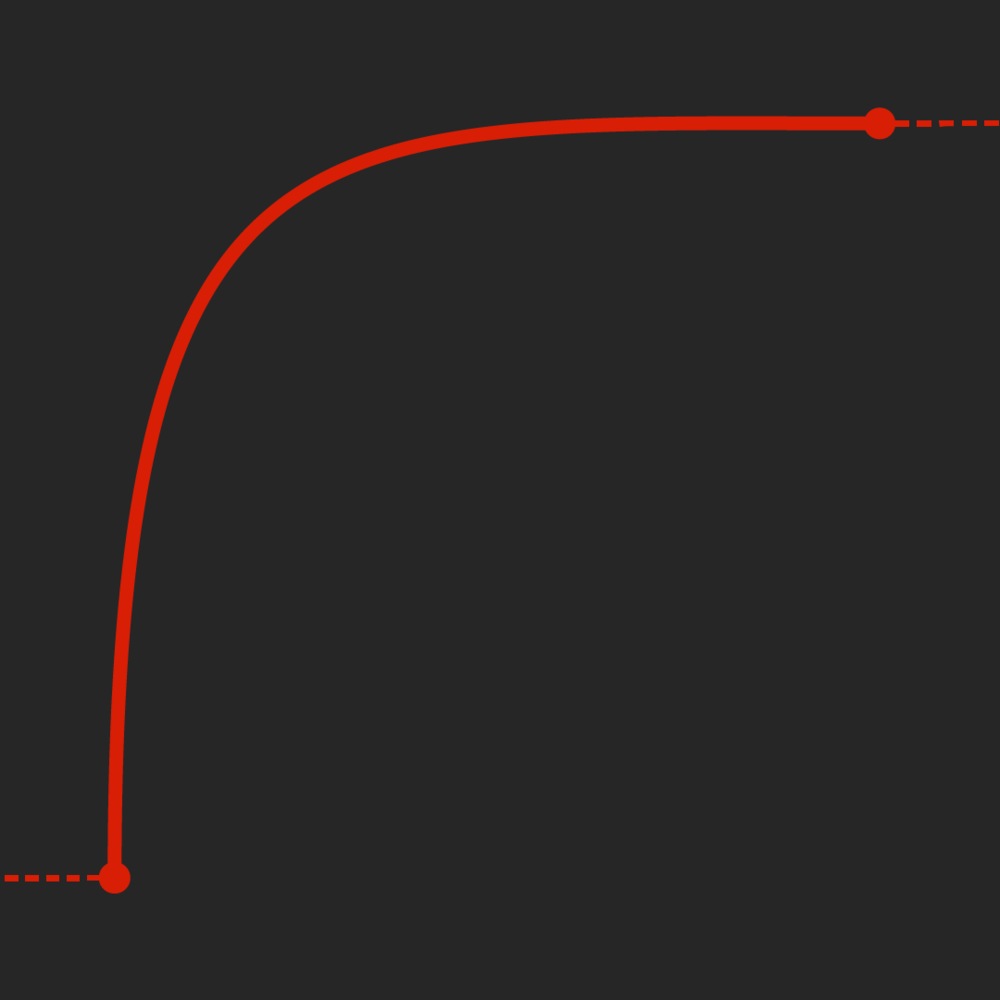
Easing curve
Save Story in context
Typography
Headlines and intros
Headline copy slides in from right to left, and then exits frame-right. This motion can help to lead into carousel videos, lower thirds, and other motion elements that appear on screen from right to left. The animation in takes 0.5 seconds, as does the animation out. For titles and headlines, please keep copy succinct and short to ensure easy readability for our audience.
Set product brand name copy in CT Eastman Roman ExtraBold, in title case. Set product descriptors in CT Eastman Grotesque Medium, in title case (eg. Café Roma Espresso Maker).
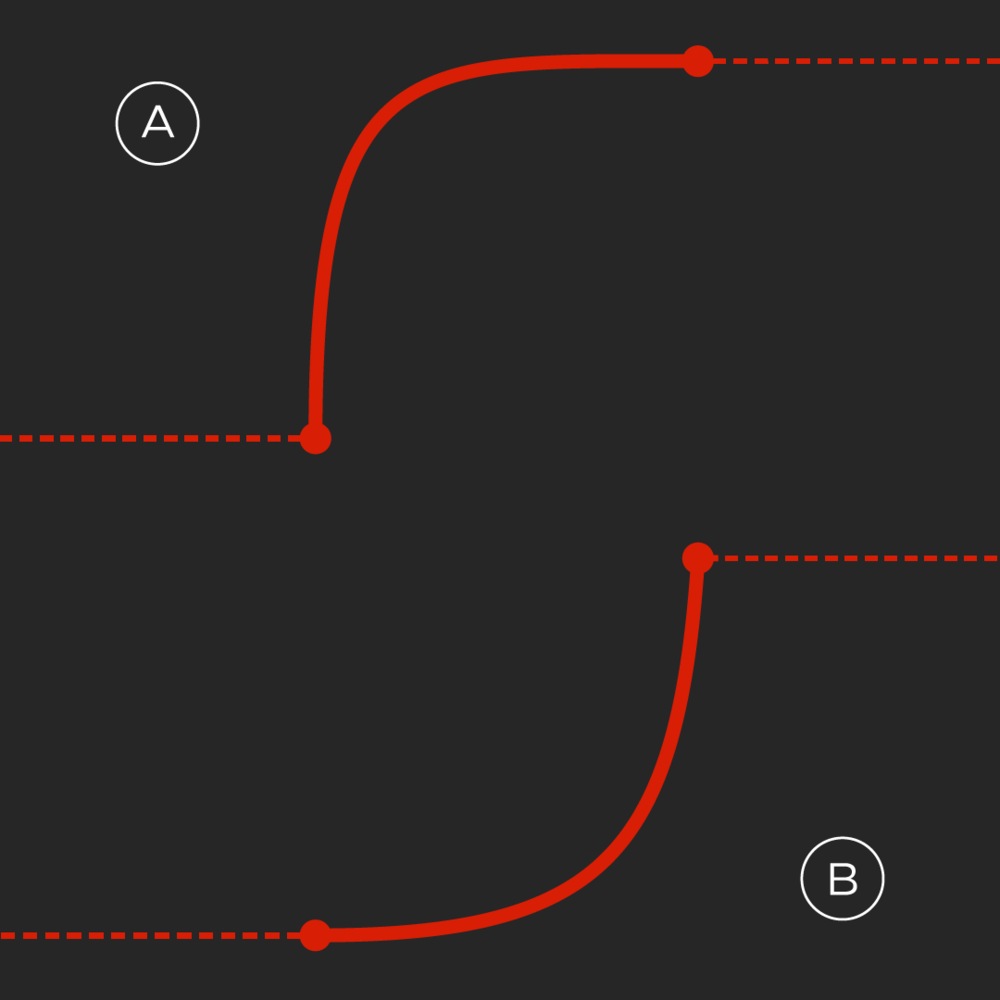
A – entrance easing
B – exit easing
Product captions
Caption copy slides in together, then fades out as products slide off screen. These actions take 0.2 seconds to resolve.
Product caption example
A – entrance easing
B – exit easing
Product caption in context
Intros, outros, title cards and call-outs
Frame intro
The CT Brandmark bounces slightly to telegraph a forward motion, then transitions into a rotating portal that reveals the first frame of the video. This entire movement takes 1.5 seconds to resolve. This may be used with a background in either CT Red or white.
Motion example
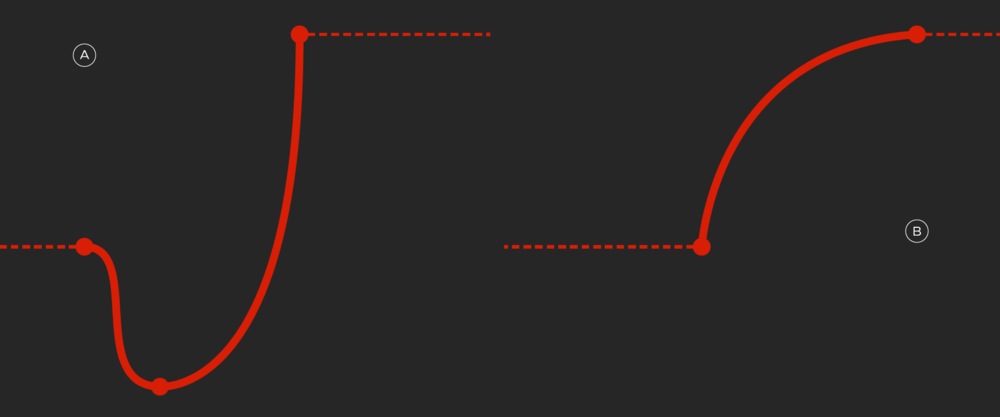
A – bounce easing
B – transition easing
Frame outro
The frame is masked inside a shrinking Triangle portal, which transitions into the CT Brandmark and then bounces very slightly. This entire movement takes 1.5 seconds to resolve.
Motion example
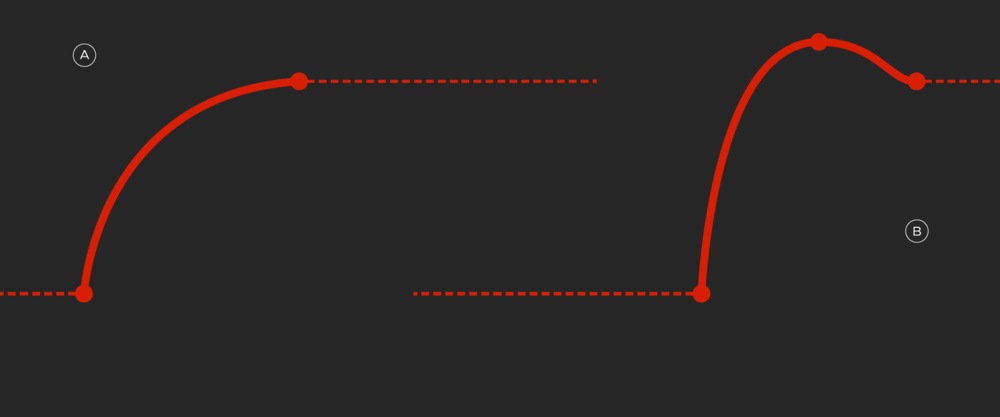
A – bounce easing
B – transition easing
Title cards
This is a typography-only approach, where title typography is revealed from left to right by a triangular mask.
While the masking takes place, the title typography slides in slightly from right to left in a staggered fashion – adding interest and improving readability.
Motion example
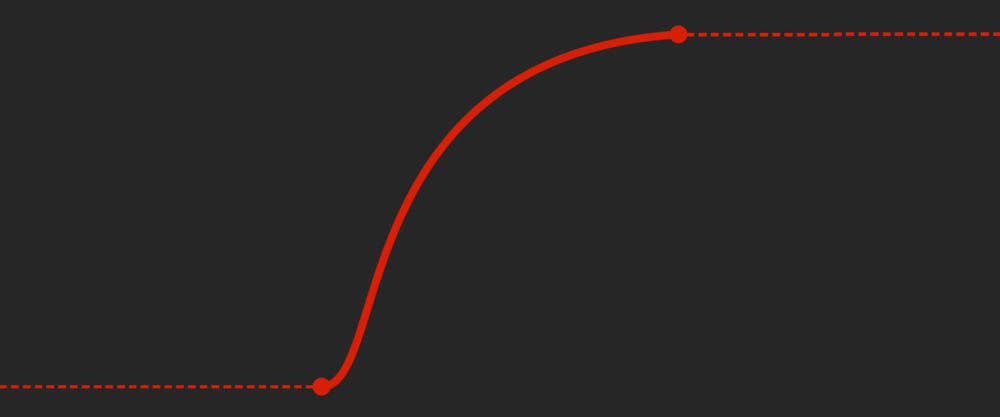
Mask easing curve
Call-outs
Call-outs can slide in from frame-left or frame-right and can be used to direct attention to a specific part of the frame.
The movement of the design elements is staggered: the Triangle slides in first, followed by the text. The entire action takes 0.5 seconds to resolve.
Motion example
Easing curve
Brandmark
The CT Brandmark animation takes 0.5 seconds to resolve. In it, the Triangle pops onto screen, at 90% size, increases to 100.5% for a bit of overshoot, then locks in at 100%. This action is then immediately followed by the leaf popping on in its place.
Motion example
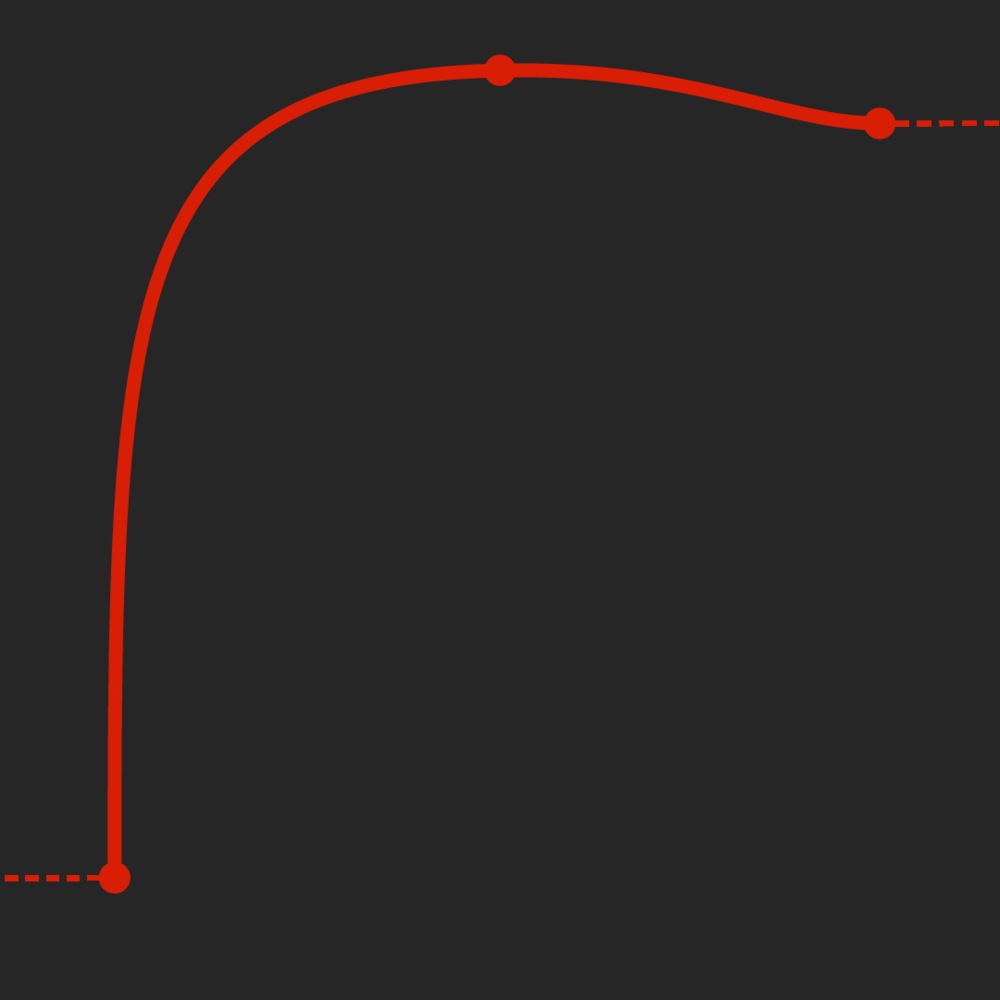
Easing curve
Brand Signature
Basic version
The Brandmark slides to the left, revealing the Brand Signature. The entire movement takes 0.75 seconds.
Motion example – horizontal
Motion example – vertical
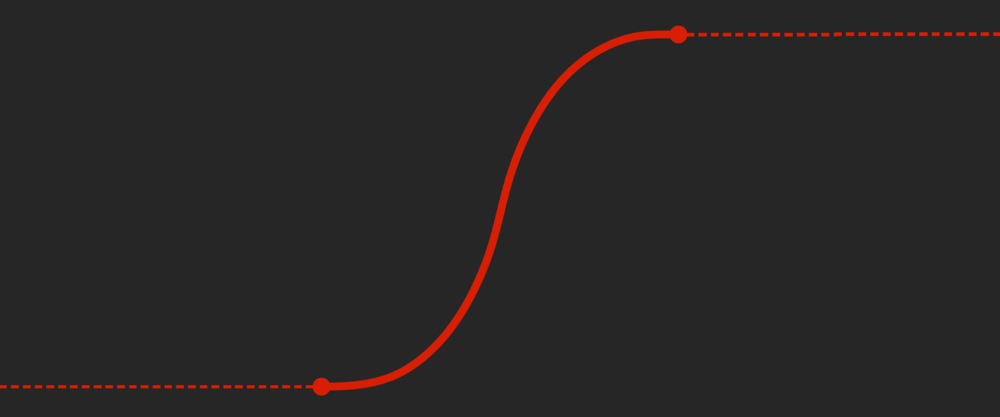
Easing curve
Category version
Once the basic Brand Signature lockup animation has completed, the text splits vertically to reveal the category. This movement is quick and resolves within 0.5 seconds.
Motion example – horizontal
Motion example – vertical
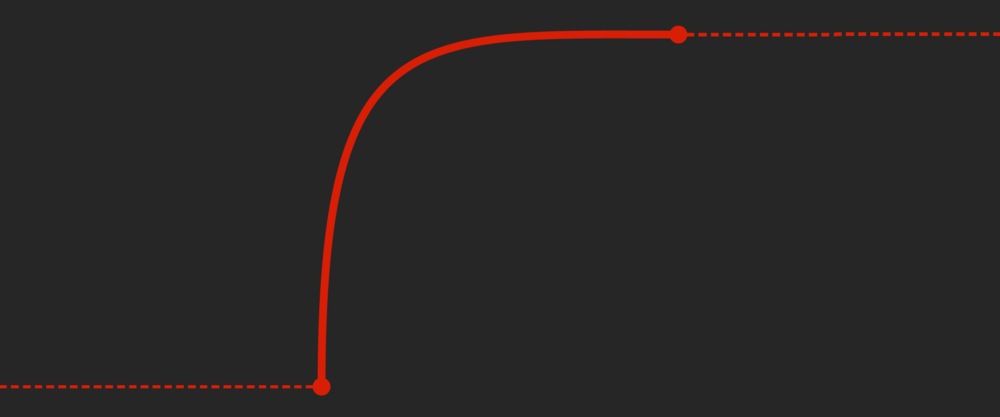
Easing curve (category reveal only)
Only at with category version
This option builds on the category version by adding the text "Only at" above the lockup. The "Only at" copy animates in with the Canada’s Store lockup. The text splits vertically to reveal the category, as described above.
Motion example
Watermark
In applications such as YouTube, we place a small Brandmark at the top left corner of the frame at all times except the intro and outro sequences.
The transition begins with the Canada’s Store wordmark (if present) retracting into the Brandmark, which pops out of frame. The watermark then appears, in the standard CT style, at the top left-hand side of the video. Visit the Brandmark placement page for details on the watermark's size and placement.
Brand endorsements
Videos always use the horizontal variations of brand endorsements.
Brandmark-only version
The Brandmark slides to the right, revealing the endorsement. The entire movement takes 0.5 seconds.
Motion example
Easing
Partner logo version
The Brandmark slides to the right, revealing the endorsement. The entire movement takes 0.5 seconds.
The partner logo exits frame-right, revealing the Brandmark. This movement takes 1 second. This is followed by the reveal of the Only At lockup, which follows the animation outlined in the previous section.
Motion example
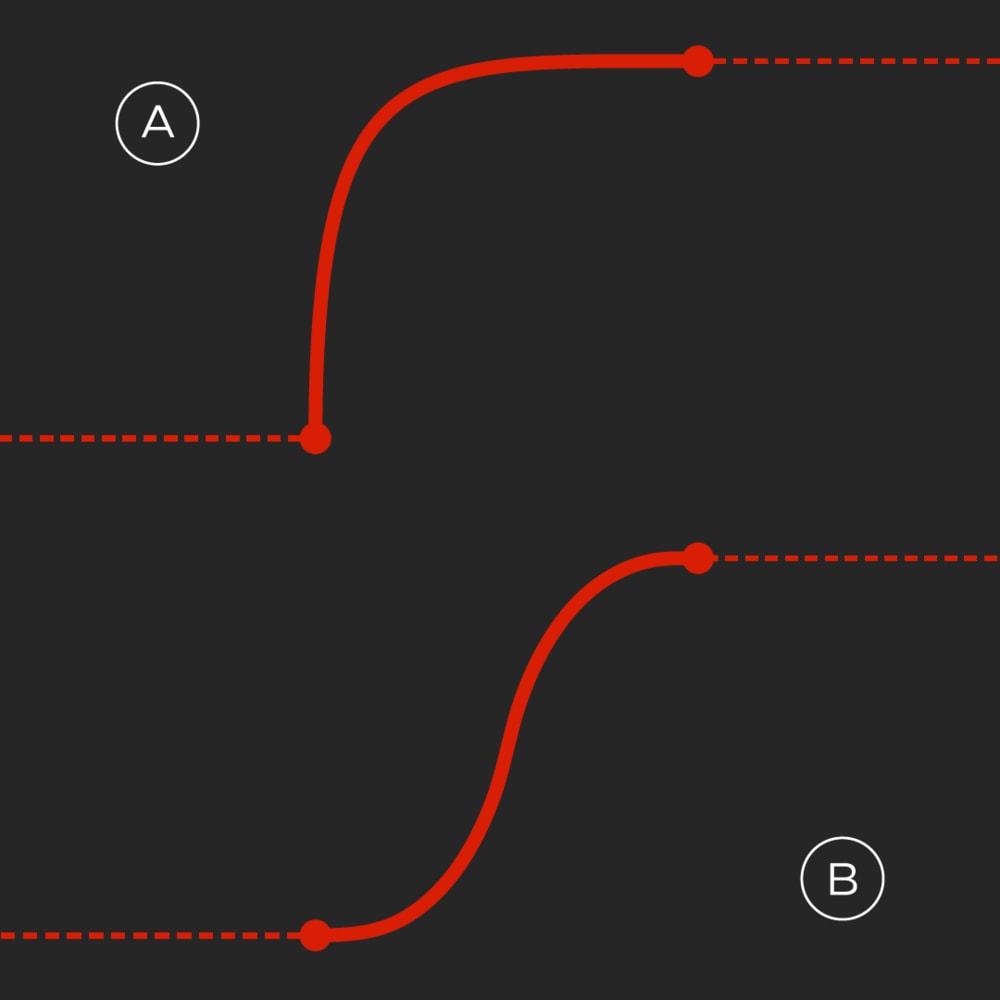
A – partner logo easing
B – Brandmark easing
Brandmark and partner logo version
The Brandmark slides into view from the left, as the partner logo simultaneously slides into view from the right, above the Brandmark. This movement takes 1 second. This is followed by the reveal of the Only At lockup, which follows the animation outlined in the previous section.
Motion example
Product portals
Option 1
The Triangle slides in from frame-left, then the product moves diagonally from bottom-frame-right and ends by peeking out from the Triangle.
Both elements animate out together to frame-left.
Motion example
A – entrance easing
B – exit easing
Option 2
The Triangle enters diagonally from top-frame-left, then the product slides from frame-right and locks into place in front of the Triangle. Both elements animate out together to frame-left.
Motion example
A – entrance easing
B – exit easing
Option 3
The Triangle slides in from frame-left, revealing the product photography – which slides slightly upwards to add interest. Both elements animate out together to frame-left.
Motion example
A – entrance easing
B – exit easing
Option 3 – alternate version
The Triangle slides in from frame-left, revealing the product photography – which slides to focus on the product. This motion can be horizontal, vertical or diagonal. Both elements animate out together to frame-left.
Motion example
A – entrance easing
B – exit easing
Product reveal animation
The product quickly fades in while sliding diagonally. This can be used throughout the website and other non-carousel options where products are featured.
Motion example
Easing curve
Product portal reveal
This transition is the same as the Brandmark intro described in the Intros, outros, title cards and call-outs section – revealing a product instead.
Motion example
A – bounce easing
B – transition easing