

Universal email modules: Headline & Product Display
Universal modules may be used in both email types—their construction does not change between the types of emails. Note that some graphics on this page have had outlines added for visibility—email modules do not typically contain outlines, unless specifically indicated in the guidelines.
Headlines
Headlines: mandatory & optional components
The headline module is designed to sit above product display sections.
Three optional elements may be added to this module: a logo in place of the headline; body copy; and a Secondary-style Fixed Width or Tertiary button.
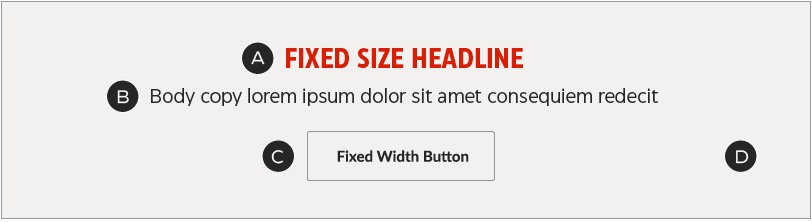
A – Headline or logo
B – Optional body copy
C – Optional secondary-style Fixed Width or Tertiary button
D – Background colour
Headlines: construction
Headline modules are flexible-height, meaning the copy block should stretch or shrink to fit the content, while the top and bottom padding remains constant.
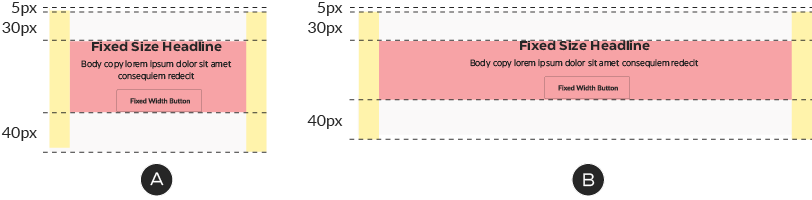
A – Mobile copy zone is 280px wide, centered
B – Desktop copy zone is 600px wide, centered
The fixed-size headline may be replaced by a logo:
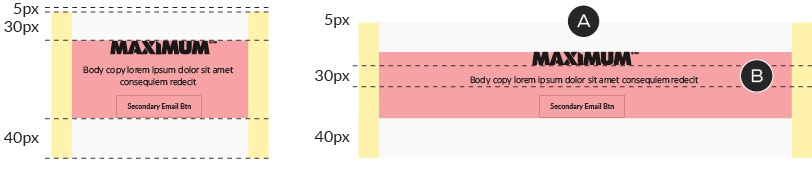
A – Logo sizing must remain proportional to the rest of the content.
B – The logo should sit flush with the edge of the copy zone and the padding of the body copy or button below it.
Headlines: colour
The background colour may be either CT White or ODP Grey 3 and must match the Product Display module below the Headline.


ODP Grey 3
Product Display 1
Product Display 1: mandatory & optional components
One product per row on desktop. Use this module to display single, large images of featured products or deals.
A – Product shot
B – Optional image left/image right configuration
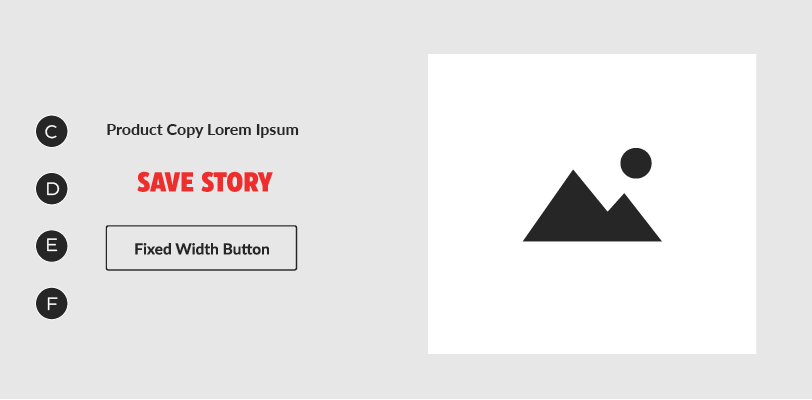
C – Product name
D – Optional Save Story
E – Secondary-style Fixed Width button
F – Background colour
Product Display 1: construction
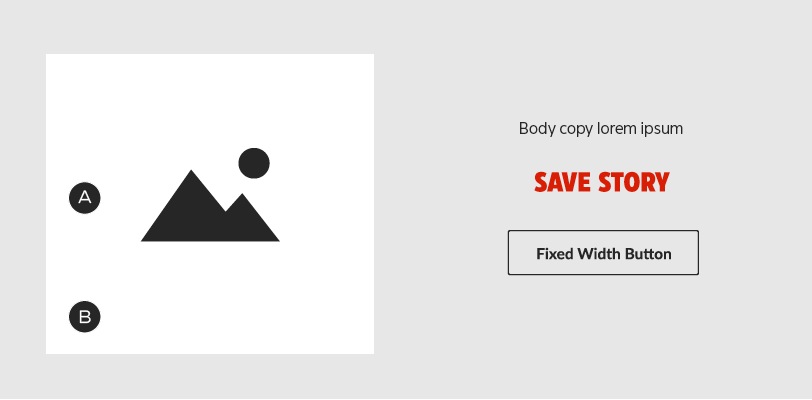
In Product Display 1 units, the image zone has a fixed width but a flexible height, to accommodate tall product shots—it does not need to be square, as shown here.
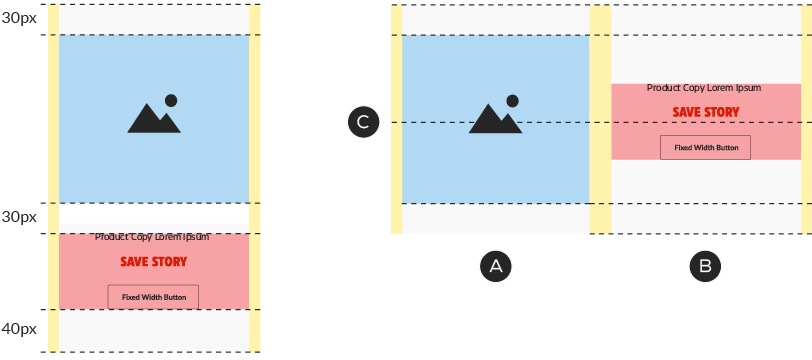
A – Image zone is 280px wide, with a flexible height.
B – Copy zone is 280px wide, with a flexible height. It may not exceed the height of the image.
C – In desktop, copy block is 5px higher than centre.
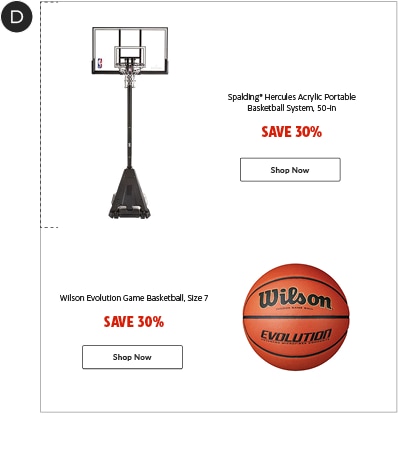
D – Product Display 1 images may be different heights to allow for better image sizing.
Product Display 1: colour
The background colour may be either CT White or ODP Grey 3 and must match the Headline module above it.
ODP Grey 3
Product Display 2
Product Display 2: mandatory & optional components
Two products per row on desktop. Use this module to give images prominence while saving space in desktop view.
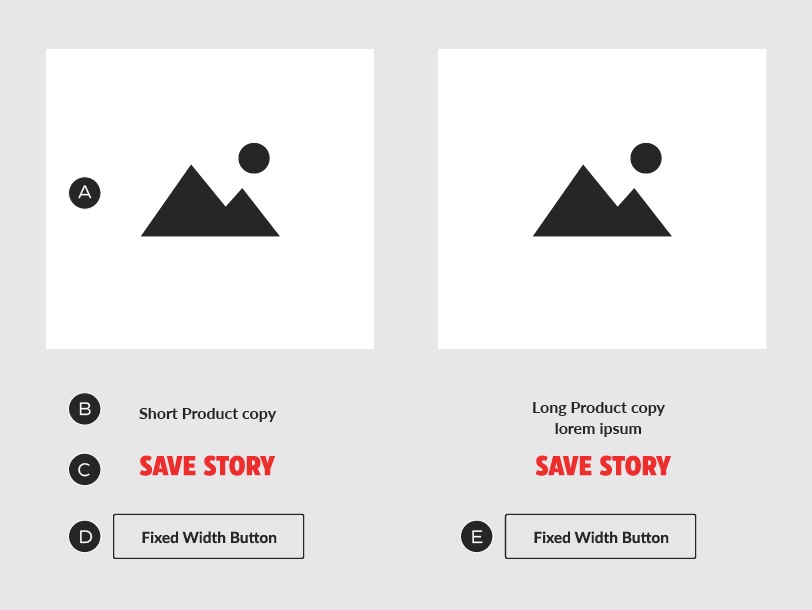
A – Product shots (2)
B – Product name
C – Optional Save Story
D – Secondary-style Fixed Width button
E – Background colour
Product Display 2: construction
Product Display 2 units are 500px tall, with a fixed-size image zone and flexible-height copy zone. These units stack 1×1 in mobile.

A – Columns stack 1×1 in mobile. Image and copy zones do not change size.
B – In mobile, extra space between the product copy and Save Story/button is removed and the copy block is centered within the copy zone.
C – Save Stories and buttons are aligned.
D – Each copy zone is 280px wide, centered.
E – Total height is dictated by tallest copy zone.
Product Display 2: colour
The background colour may be either CT White or ODP Grey 3 and must match the Headline module above it.
ODP Grey 3
Product Display 2: non-product units
It's possible to create non-product units using the Product Display 2 module, in combination with a Headline module. Simply replace the product shots with lifestyle shots and change the product names to category titles.

A – Headline module speaks to category content.
B – Lifestyle images in place of product shots.
C – Optional Save Story removed; product names changed to category titles.
Product Display 3
Product Display 3: mandatory & optional components
Three products per row on desktop. Use this module to create a lower-hierarchy layout and save additional space in desktop view.

A – Product shots (3)
B – Product name
C – Optional Save Story
D – Secondary-style Fixed Width button
E – Background colour
Product Display 3: construction
Product Display 3 units are 841px tall, with a fixed-size image zone and flexible-height copy zone. These units stack 1×1 in mobile.
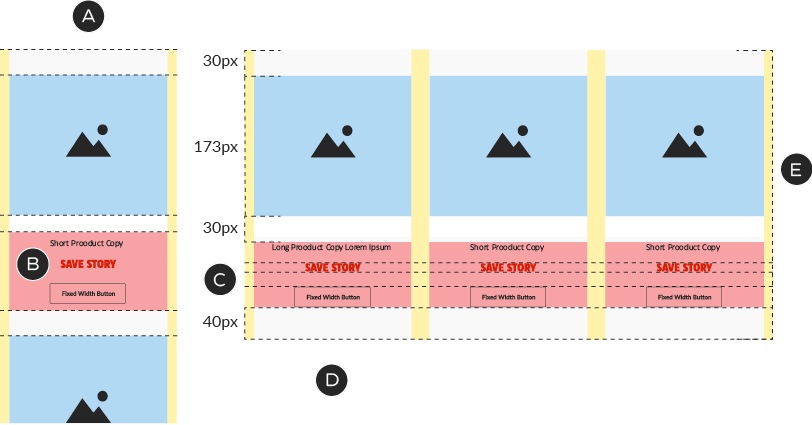
A – The columns stack 1×1 in mobile. The image and copy zones scale up to 280px in width.
B – In mobile, extra space between the product copy and Save Story/button is removed and the copy block is centered within the copy zone.
C – Save Stories and buttons are aligned.
D – Desktop copy zones are 173px wide, centered.
E – Total height is dictated by tallest copy zone.
Product Display 3: colour
The background colour may be either CT White or ODP Grey 3 and must match the Headline module above it.
ODP Grey 3
Product Display 3: non-product units
It's possible to create non-product units using the Product Display 3 module, in combination with a Headline module. Simply replace the product shots with lifestyle shots and change the product names to category titles.

A – Headline module speaks to category content
B – Lifestyle images in place of product shots
C – Optional Save Story removed; product names changed to category titles
Since the entire tile and not just the button, is clickable, it's possible to create card-like layouts as well:

A – Headline module speaks to category content
B – Price callouts in place of product shots
C – All copy and buttons removed
Product Display 4
Product Display 4: mandatory & optional components
Four small images per row in desktop; two per row in mobile. Use this module to create dense layouts showcasing many products in a single view. Due to space limitations, this module uses Tertiary buttons.
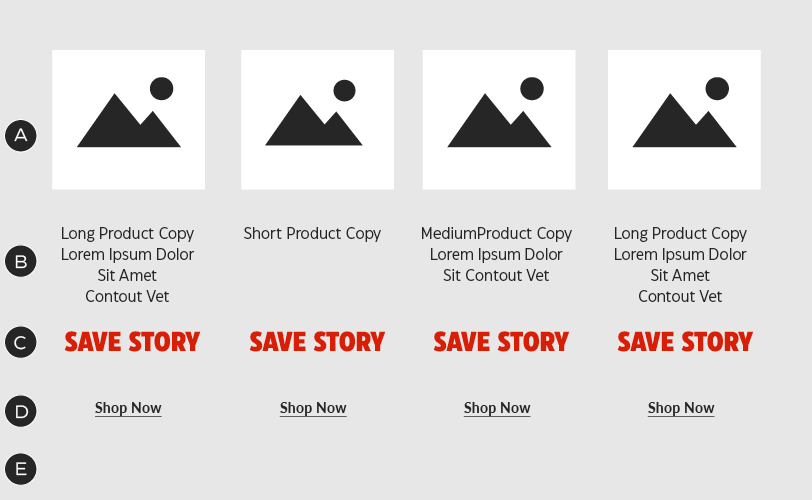
A – Product shots (4)
B – Product name
C – Optional Save Story
D – Secondary-style Fixed Width button
E – Background colour
Product Display 4: construction
Product Display 4 units are 720px tall, with a fixed-size image zone and flexible-height copy zone. These units stack 2×2 in mobile.
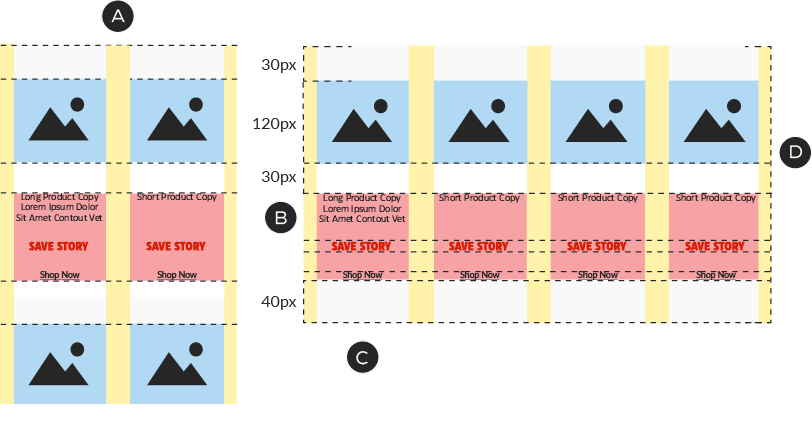
A – The columns stack 2×2 in mobile. The image and copy zones do not change size.
B – Save Stories and buttons are aligned.
C – Desktop copy zones are 120px wide, centered.
D – Total height is dictated by tallest copy zone.
Product Display 4: colour
The background colour may be either CT White or ODP Grey 3 and must match the Headline module above it.
ODP Grey 3